
Batches Management
Batches Management
Batches are groups of shipments that are shipped together for a special rate. Item Ship will check shipping rates across multiple carriers to find the cheapest shipping to fulfill an order. This article introduces the batch related operations.
How to Add Shipments to Batch
1. If you want to ship some shipments together, please navigate to Shipments > Fulfillments > New Tab, select the targeted shipments. 2. Click Buy Label button to automatically generate a batch number by system.
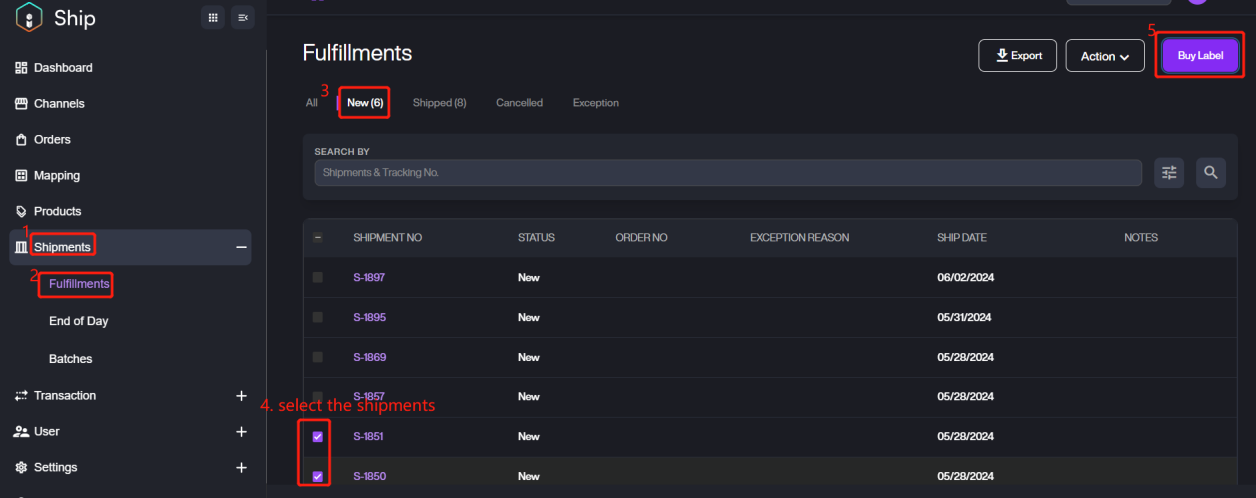
3. Click OK on the popup window to next step. 4. After adding successfully, if you want to print the label immediately, please select the local printer to complete printing. For more details about printing, please refer to Printing Settings to operate.
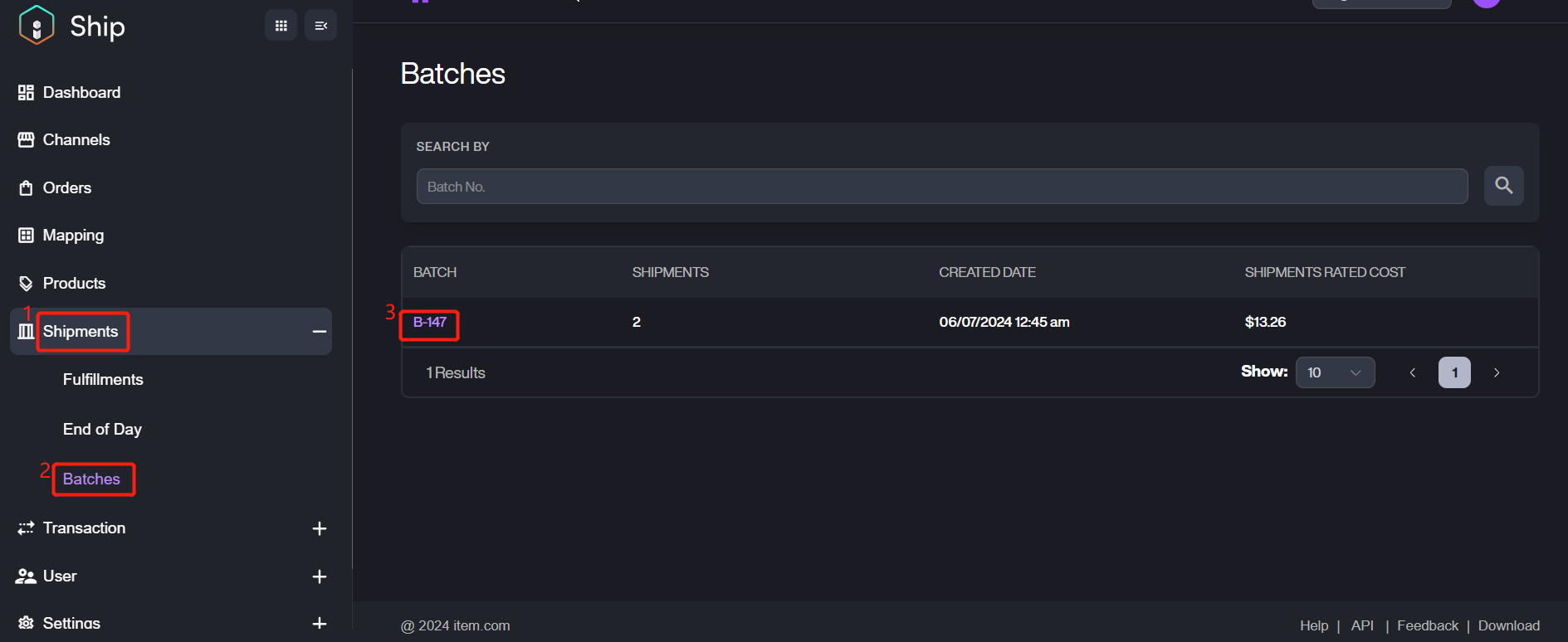
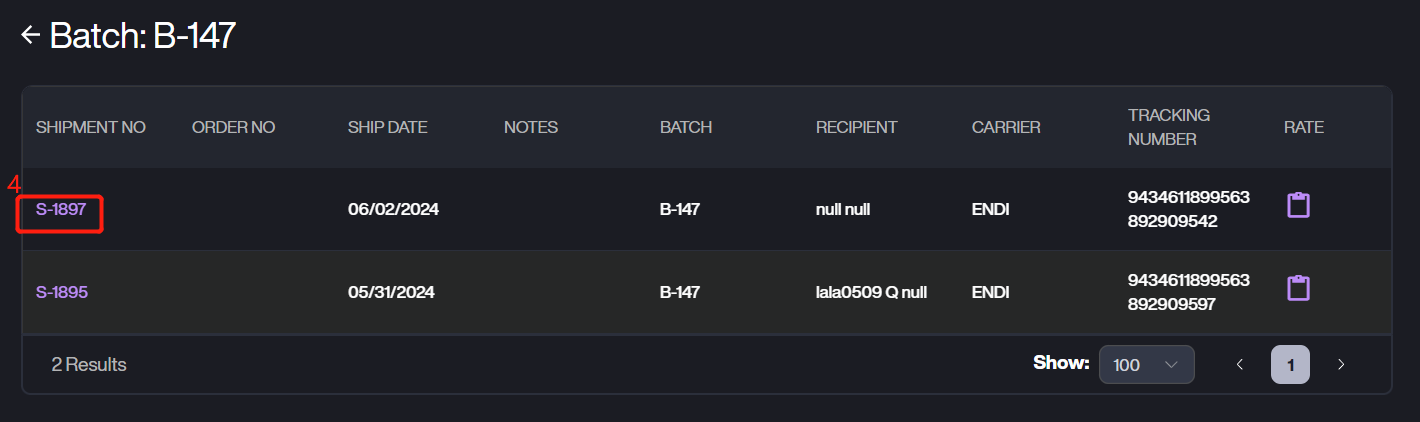
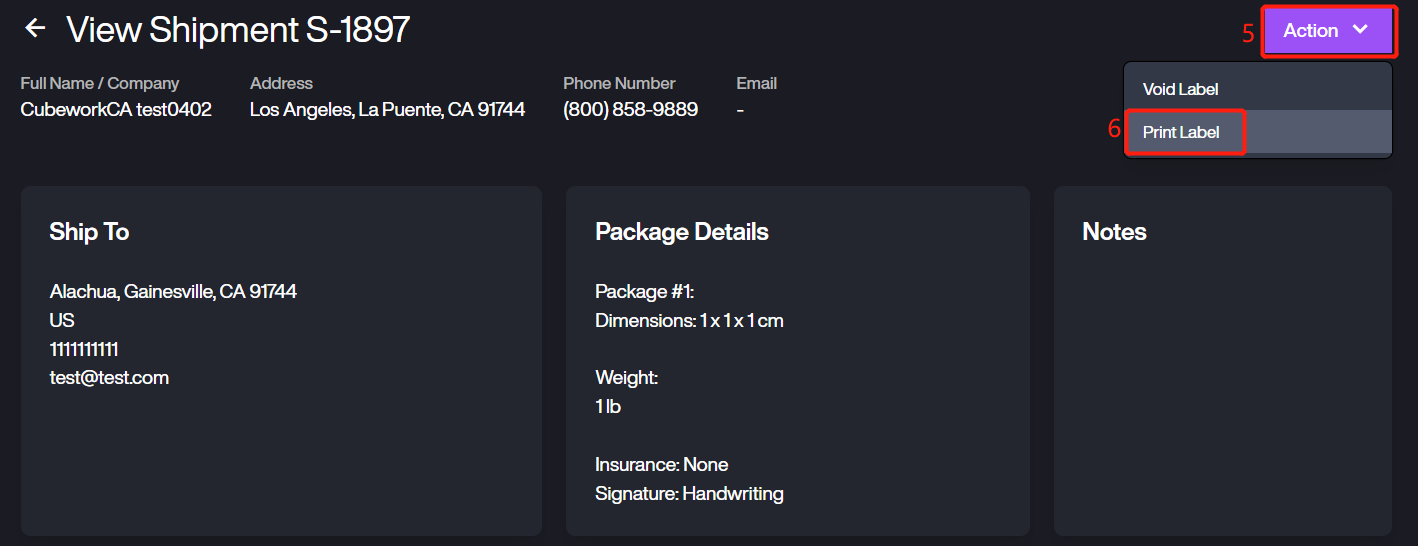
If you want to print the batch shipment later or someday you want to print it, please go to Shipment > Batches, select the shipment then click the Batch No. > Shipment No > Actions > Print Label.
How to View the Detailed Information of the Batch
1. After adding the shipments to batch, please navigate to Shipments > Batches, it will list the all batches.
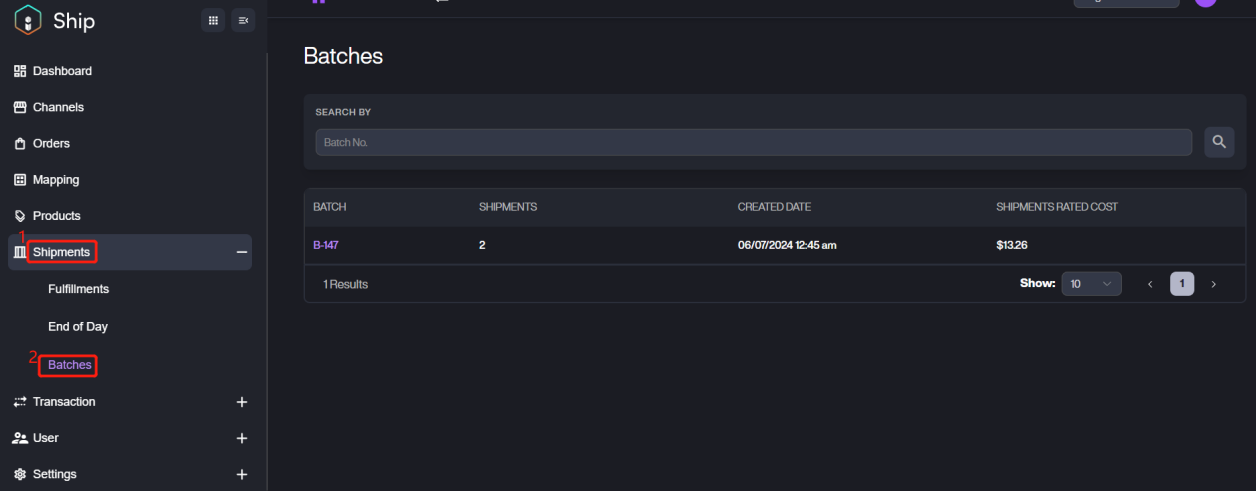
Please noted that the shipment rated cost is the totally rate for the all shipments in this batch.
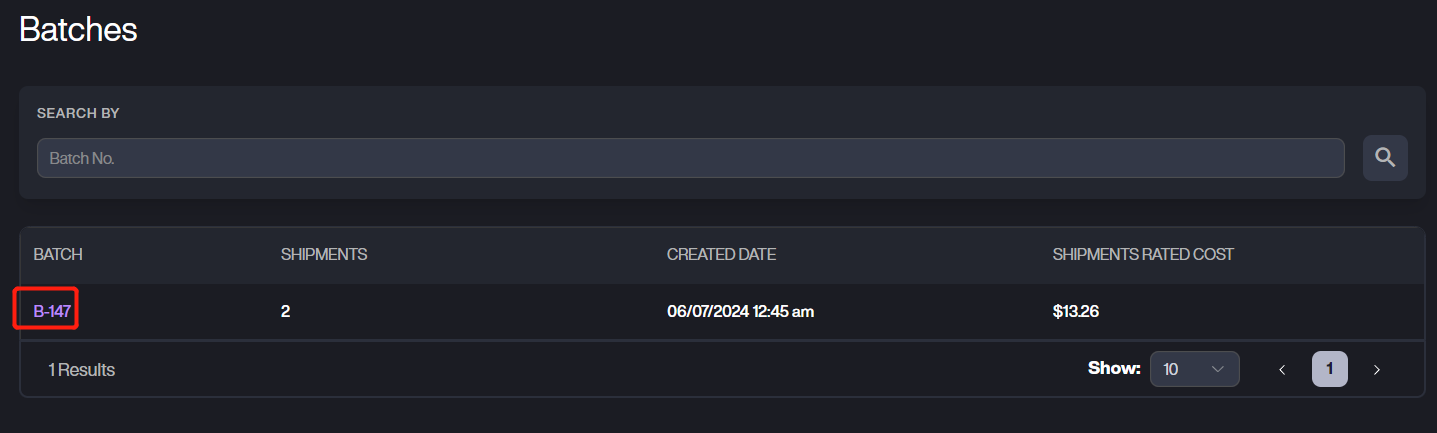
2. Click the batch number, then you can view the details.
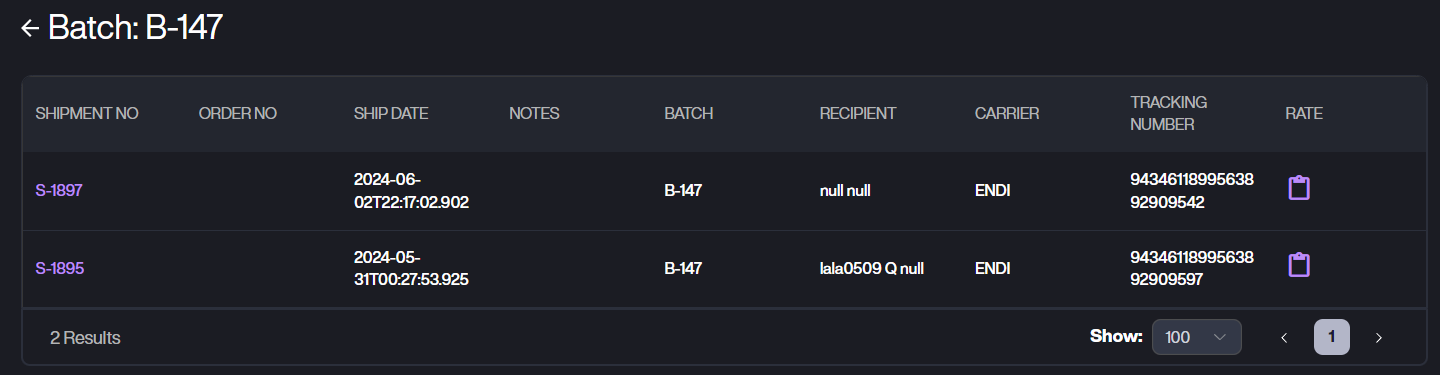
Parameter | Description |
|---|---|
Shipment No. | The number of the corresponding shipment. |
Order No. | The number of the order. |
Ship Date | The date when created the shipment. |
Notes | The notes of the shipment. |
Batch | The number of the batch. |
Recipient | The recipient of the shipment. |
Carrier | The carrier of the shipment. |
Tracking Number | The tracking number of this shipment. |
Rate | The rate of the shipment. You can click the clipboard icon for detailed rate. !Batches8 |