
Dashboard
Dashboard
This article introduces the main content of the dashboard page.
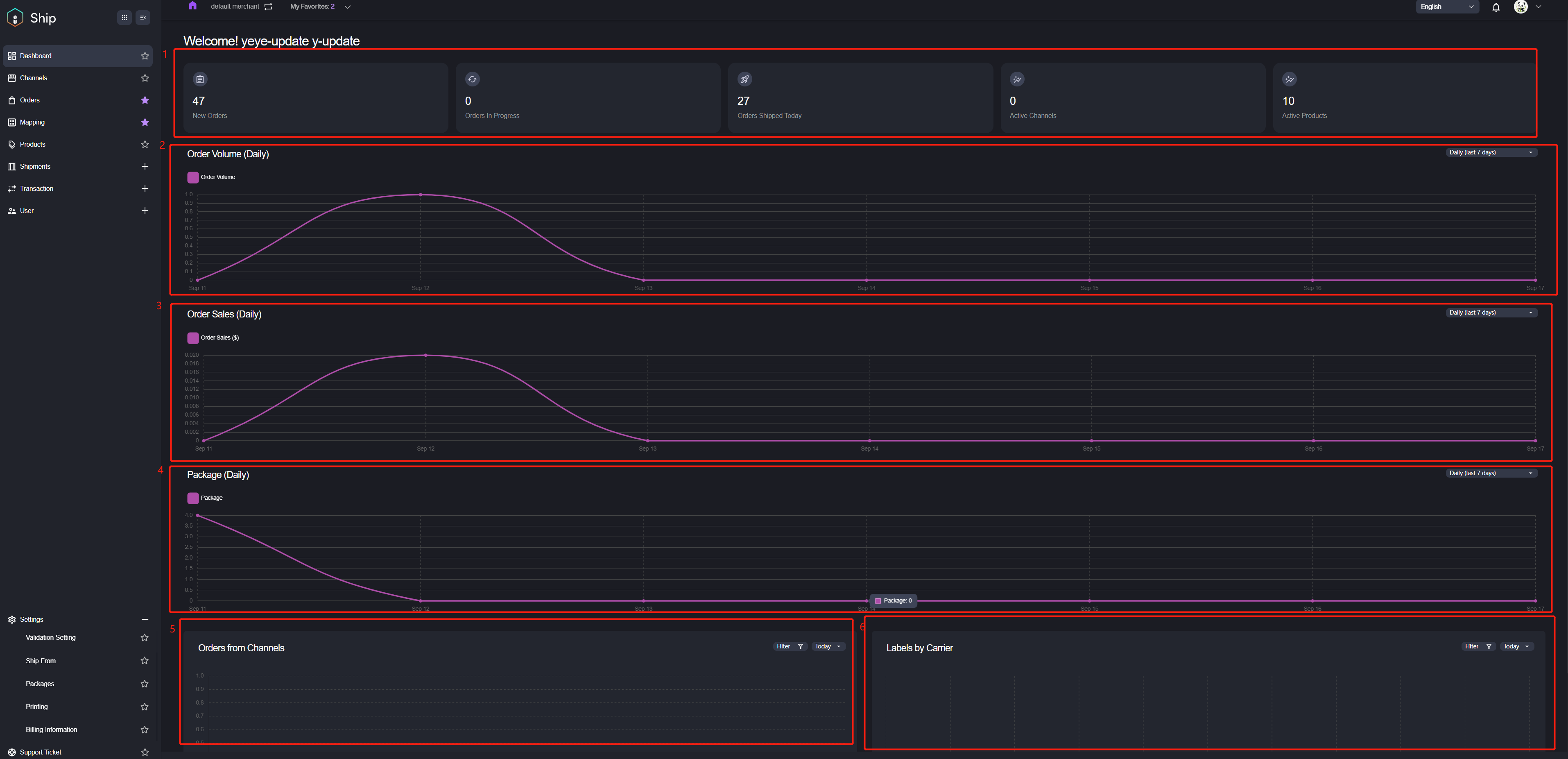
After logging into Item Ship, you view see the Dashboard page displayed as shown. Dashboard provides a bird’s view eye view of your shipments, including reports on order volume, orders from different channels, new orders, order progressed, order shipped, etc.
Number | Description |
|---|---|
1 | The amount of new orders, orders in progress, orders shipped today, active channels and active products. |
2 | The volume of order, order sales and package. |
3 | Display the volume of the order sales. |
4 | Display the volume of the package. |
5 | The orders amount from different sale channels. It supports to filter by different sale channels and to display by different time duration. |
6 | The labels amount by different carriers. It supports to filter by different carriers and to display by different time duration. |