
Define Integration Metadata
Define Integration Metadata
In Step 1, you define the basic metadata for the integration.
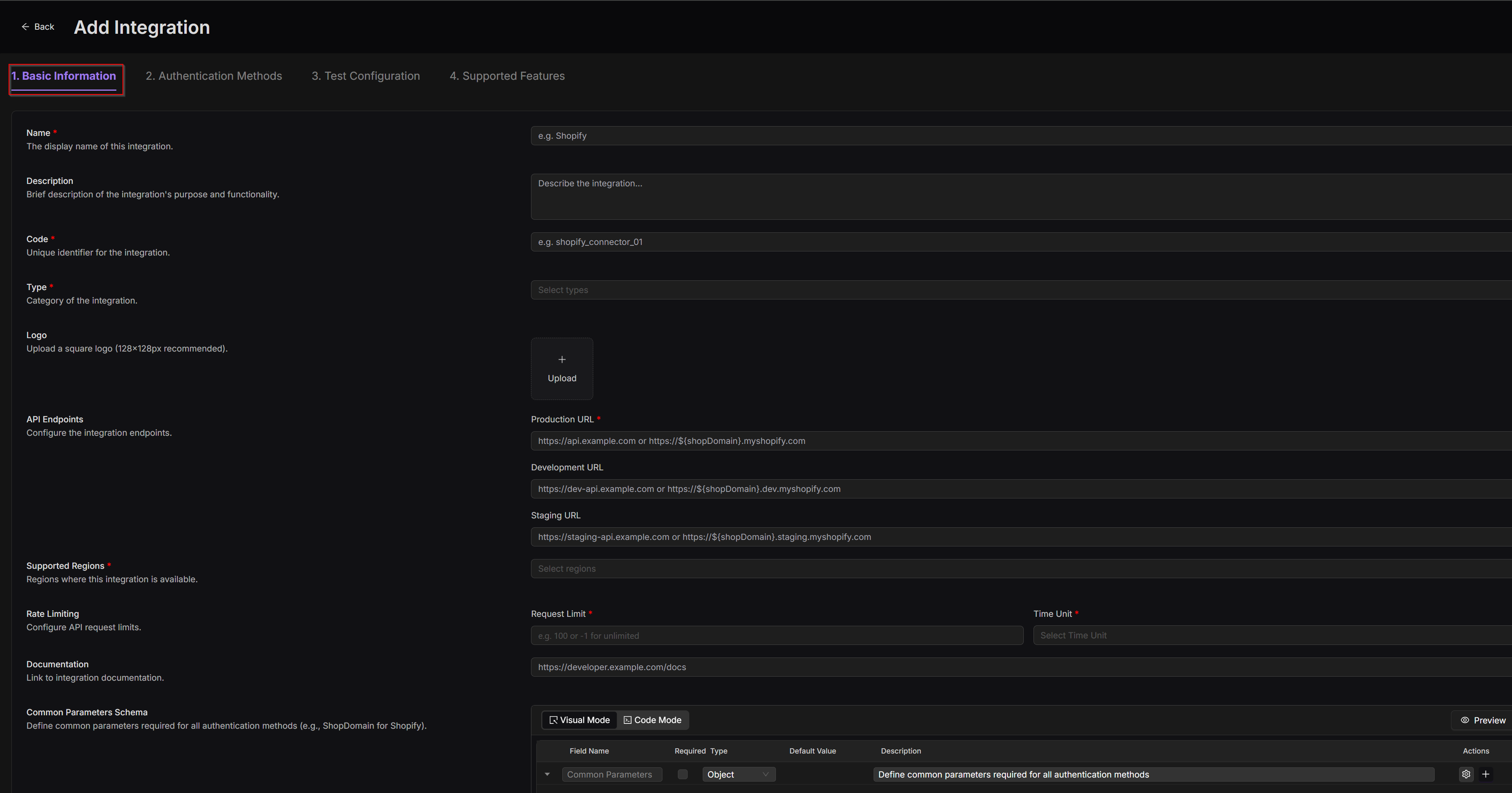
To provide the basic info:
1. Fill in the following fields to define the integration’s core properties.
2. Click Save and Next.
Field (* required) | Developer Action |
|---|---|
Name* | Set a display name shown in the DI platform. |
Description | Add notes about the integration’s purpose, scope, or environment. |
Code* | Enter a unique identifier used internally (alphanumeric and underscores only). Cannot be changed after creation. |
Type* | Select the platform type (e.g., Sales channels, ERP, Finance). Used for classification and filtering. |
Logo | Upload an icon to visually identify this integration. |
API Endpoints* | Specify Dev, Stage, and Prod base URLs for the external platform’s APIs. |
Supported Regions* | List the applicable regions for this integration (e.g., US, EU). |
Request Limit* | Set the maximum number of API requests allowed per time unit. |
Time Unit* | Define the time interval for rate limiting (Seconds, Minutes, etc.). |
Documentation | Paste the public API documentation URL for the third-party platform. |
Common Parameters Schema | Define reusable input parameters required across all authentication or feature calls (e.g., shopdomain, customerid). |
The Code should follow a consistent pattern like platform-region (e.g., shopify-us). This value is permanent and used for internal references.