
Wms v3OutboundLoad management
Search for Specific Load
Search for Specific Load
There are two search methods supported: general search by relevant number and advanced search by search fields.
General Search
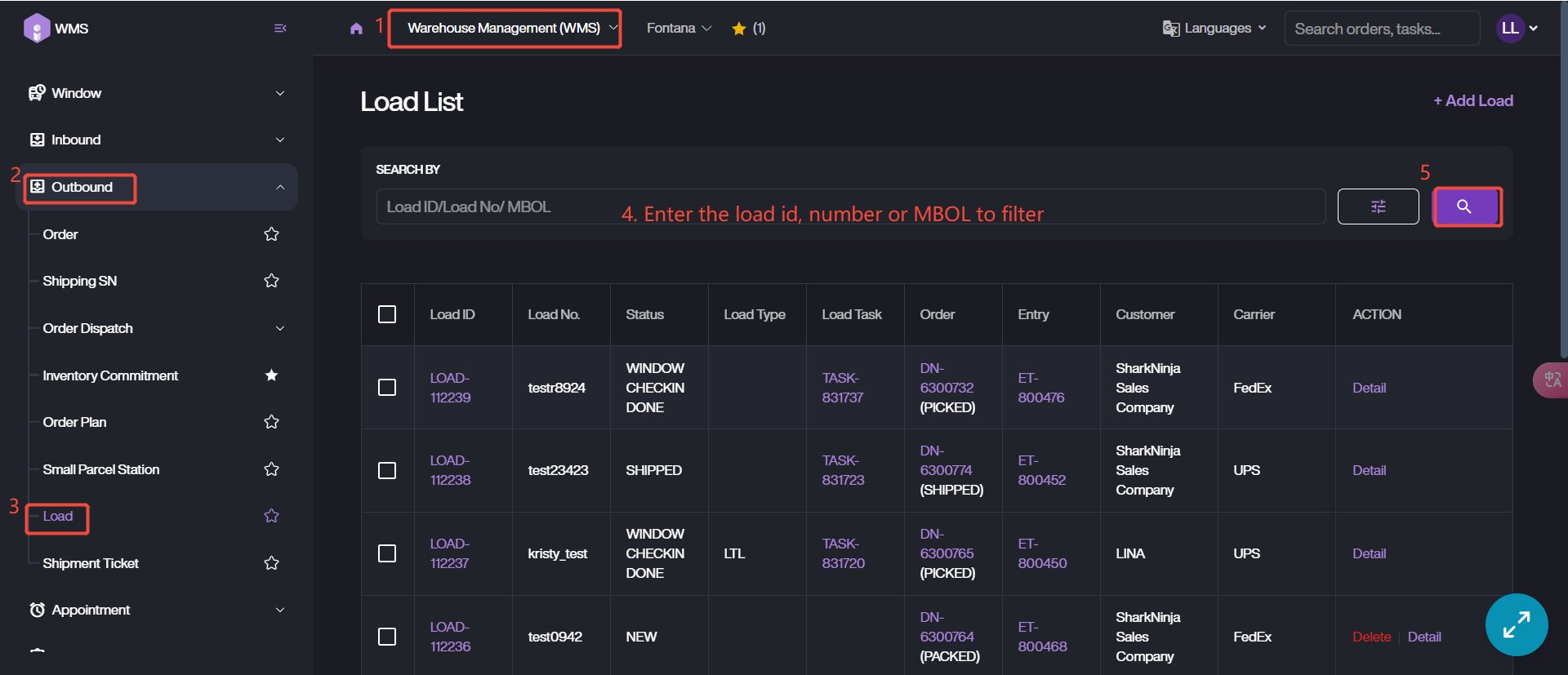
It allows user search for specific load data via Load ID, Load No, and MBOL.
1. Go to Load List via Warehouse Management (WMS) Module > Outbound > Load.
2. Enter the corresponding number then click Search icon to retrieve the data.
Advanced Search
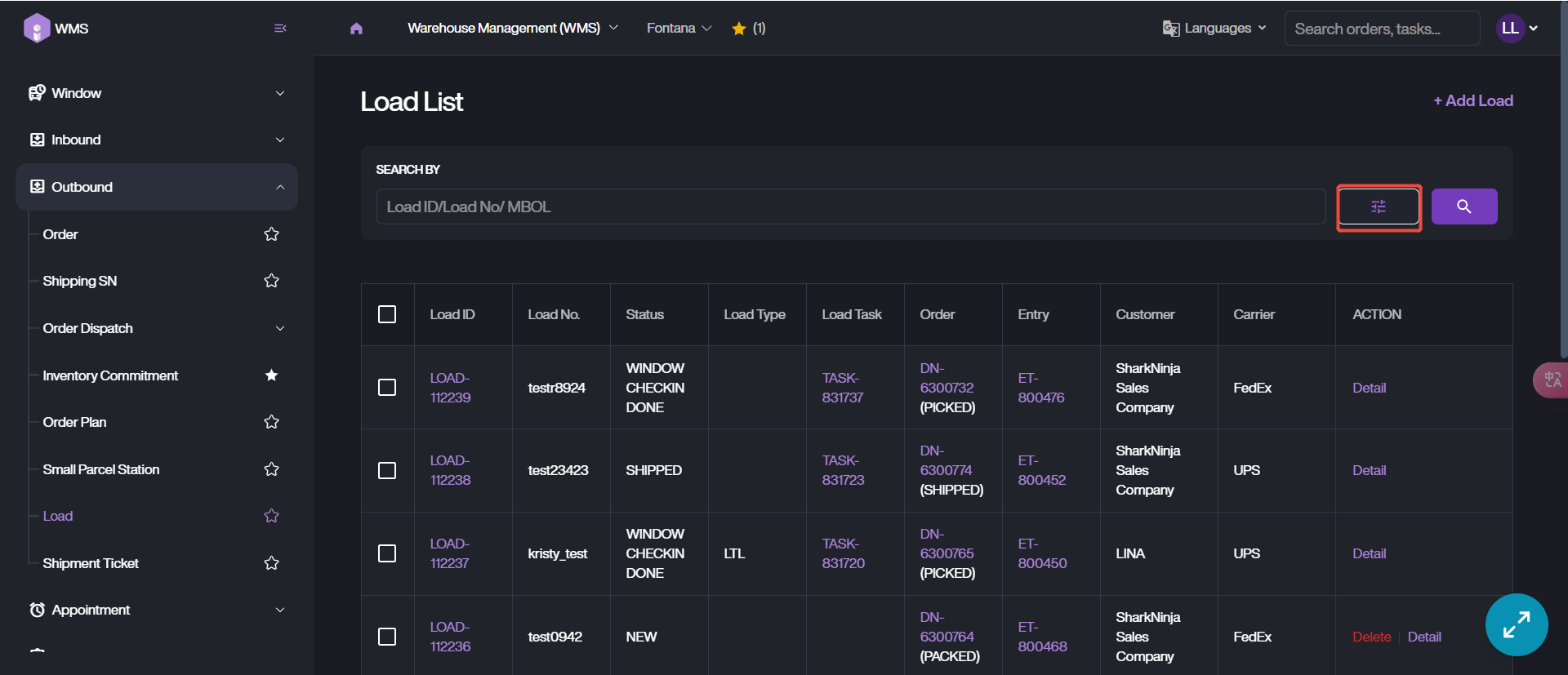
1. Access to Load List through the same path as General Search.
2. Switch to Advanced Search mode by clicking the Filtering button.
3. Customize the search fields based on the requirements.
4. Click Search to retrieve data.