
Wms v3OutboundLoad management
Create New Loads
Create New Loads
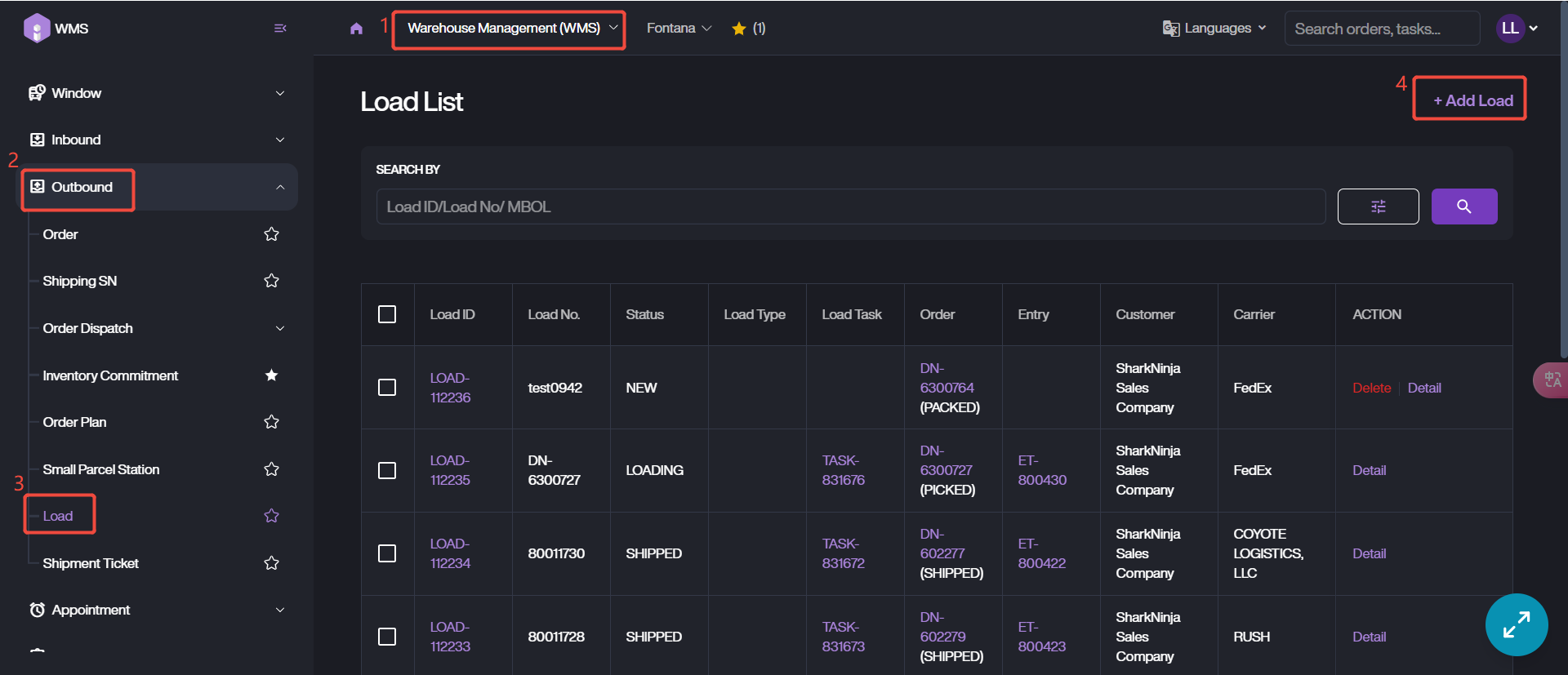
1. Navigate to Load List via Warehouse Management (WMS) Module > Outbound > Load.
2. Click + Add Load.
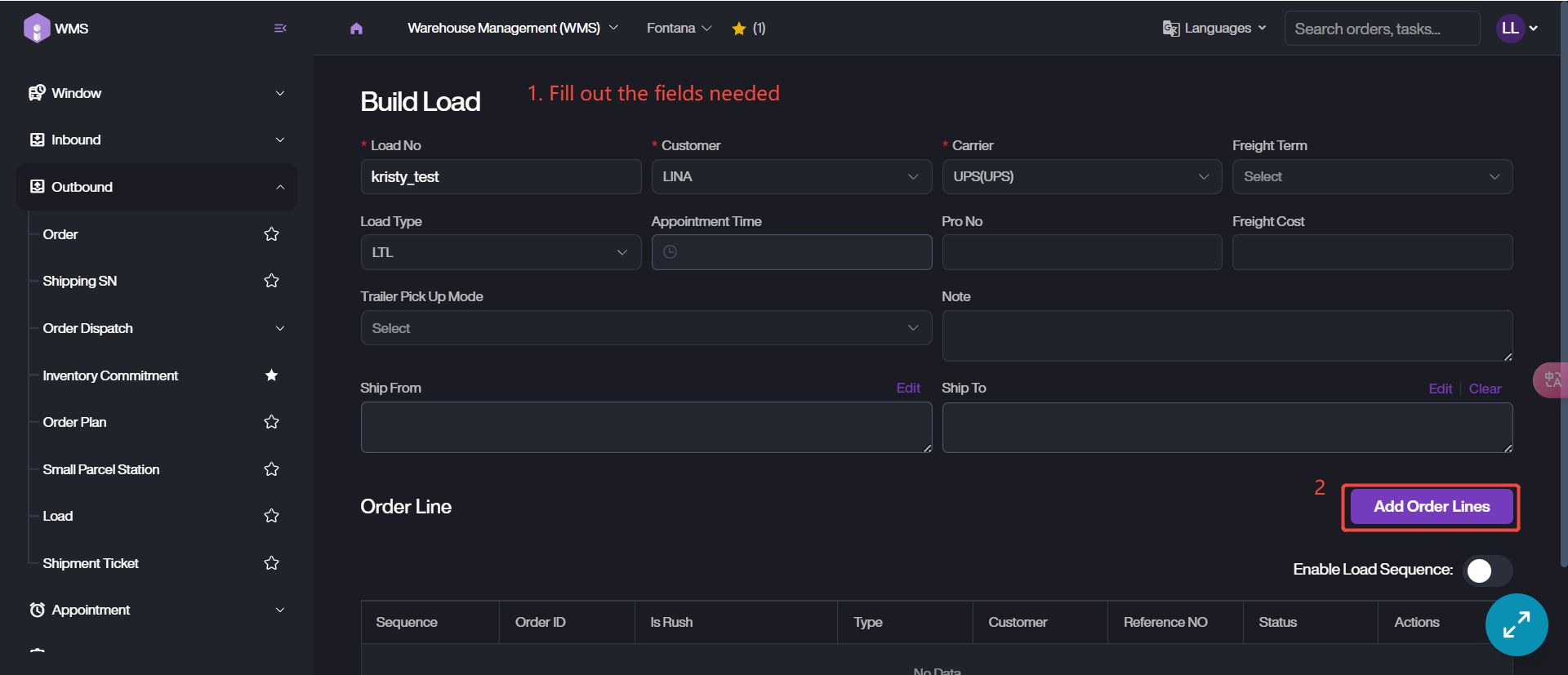
3. Fill out the fields related to load, such as Load No., Carrier, Load Type, Address and more.
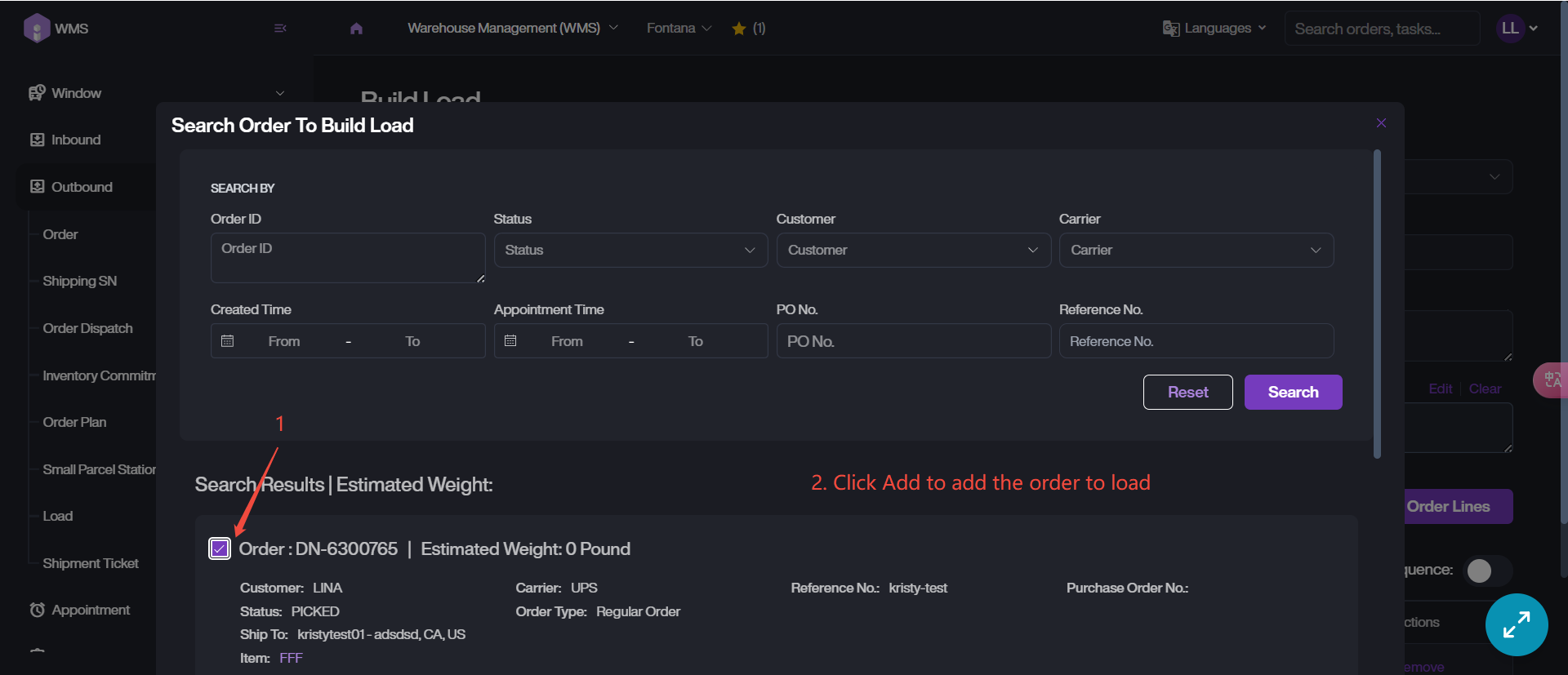
4. Add Order Lines to this load, retrieve and select the target order then click Add to complete order binding.
5. Click on Create to finish this creation.