ShipSettings
Validation Settings
Validation Settings
This article introduces the validation settings and the step for setup validation.
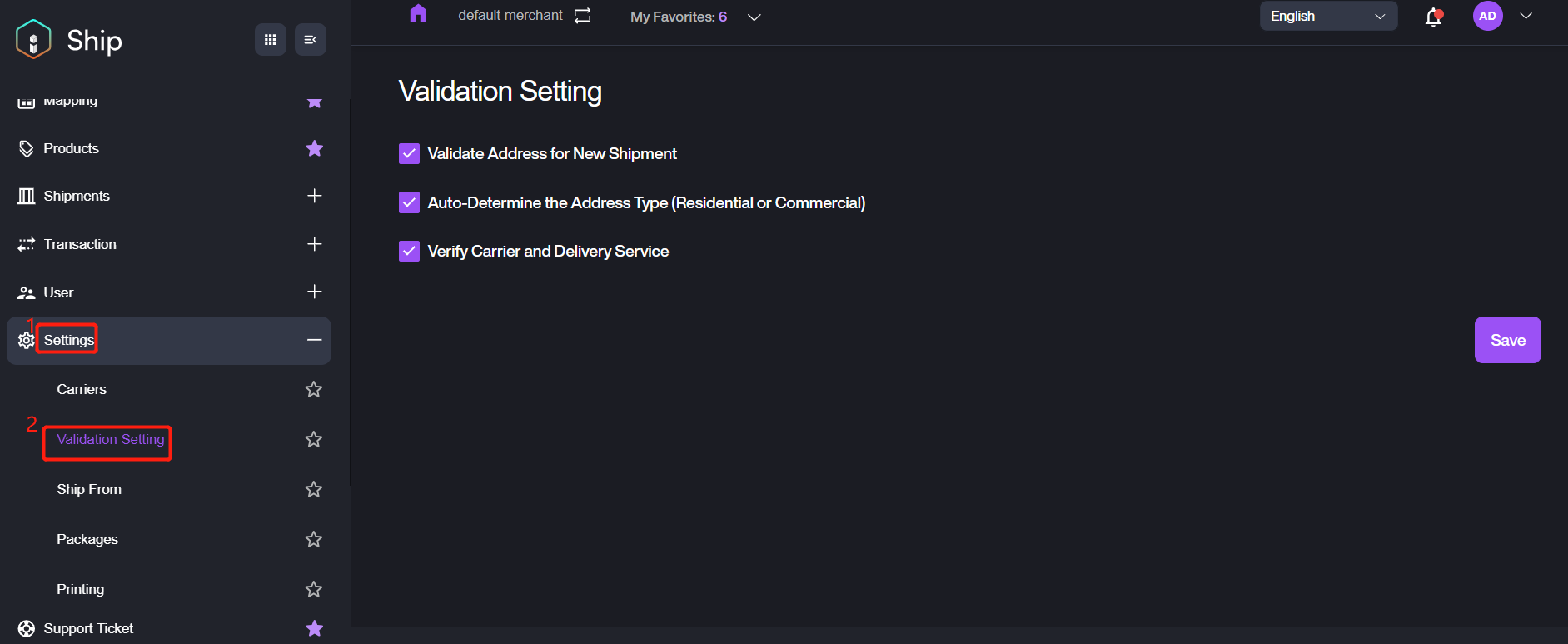
Navigate to Settings > Validation Settings, enable the feature you want.
- Validate Address for New Shipment: after enabling this feature, it will confirm an address and prompt the user to verify the address to match a format.
- Auto-Determine the Address Type (Residential or Commercial): after enabling this feature, it will automatically set an address as either residential or commercial. It requires the user to manually enter the address type for a destination after disabling this feature.
- Verify Carrier and Delivery Service: after enabling this feature, it will automatically verify the carrier information and delivery service for the new shipment.