
Logic Nodes
Logic Nodes
Control the decision-making process and flow execution:
Branch Node: Route execution paths based on conditional logic.
Loop Node: Iterate through arrays or repeat actions until conditions are met.
Filter Node: Control data flow based on defined conditions.
Branch Node
The Branch node routes workflow execution based on conditional logic, enabling complex decision-making.
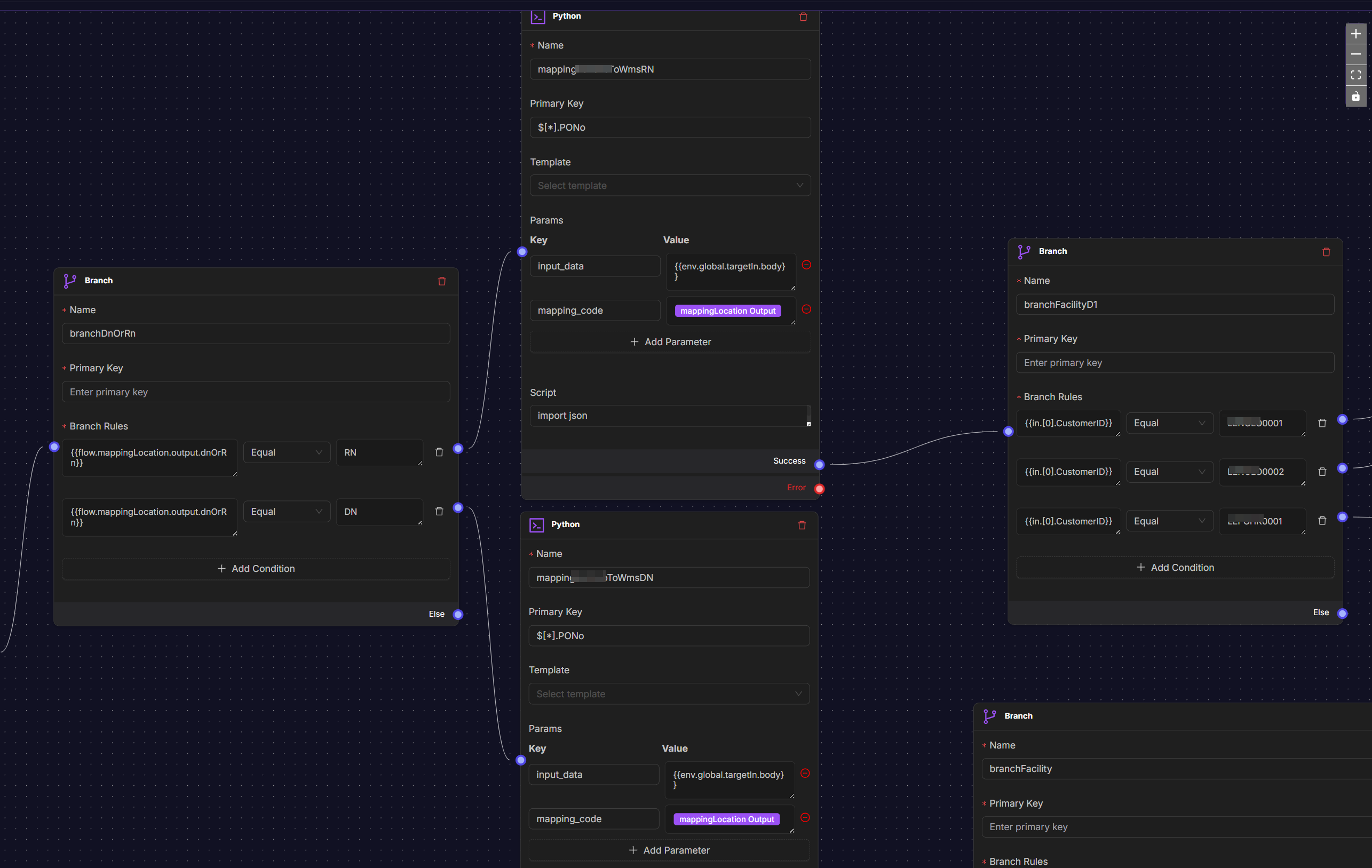
Settings include:
Name: Descriptive name for the node.
Primary Key: Field to evaluate (optional if using JSON paths).
Branch Rules: Array of conditions and their corresponding paths.
equal - Exact value match
notequal` - Value does not match
contains - Value contains substring
notcontains` - Value does not contain substring
greaterthan` - Numeric comparison
lessthan` - Numeric comparison
Loop Node
The Loop node enables iteration through datasets or repeated execution until conditions are met.
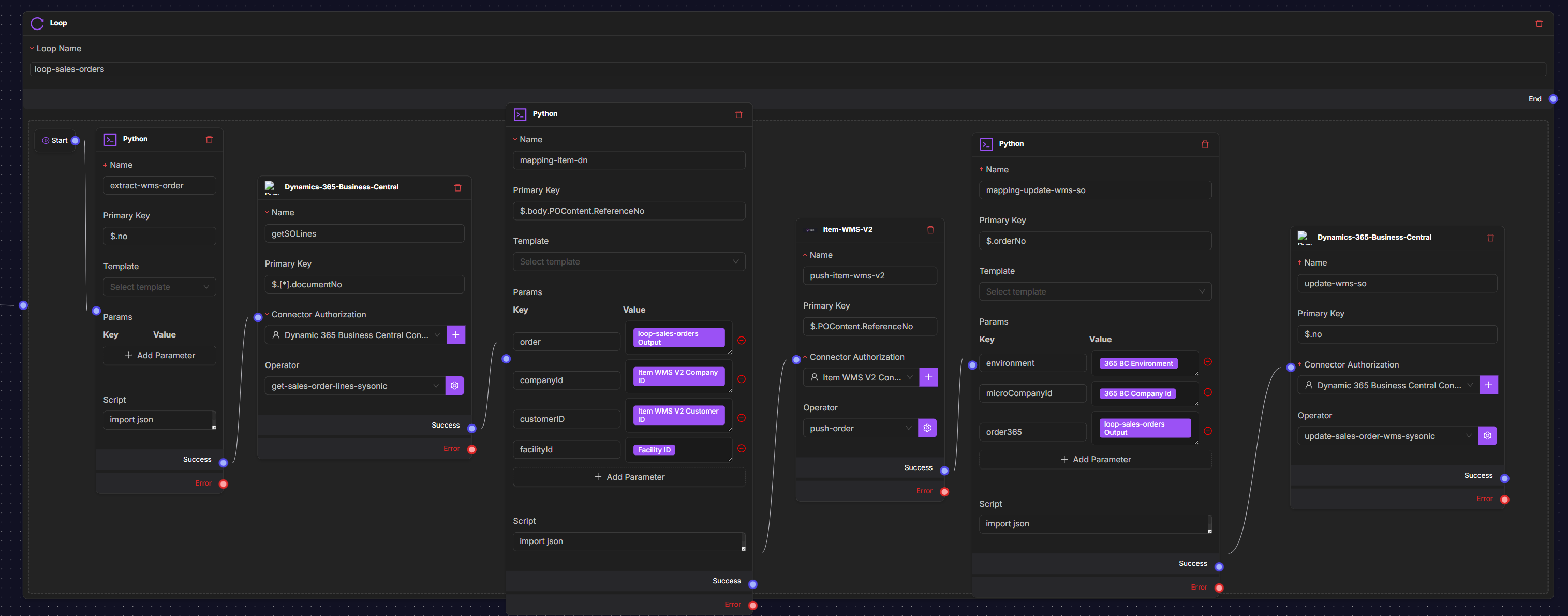
Settings include:
Loop Name: Identifier for the loop.
Start Node: Entry point for each iteration.
Exit Conditions: When to stop the loop.
Filter Node
The Filter node evaluates incoming data and only allows matching items to continue through the workflow.
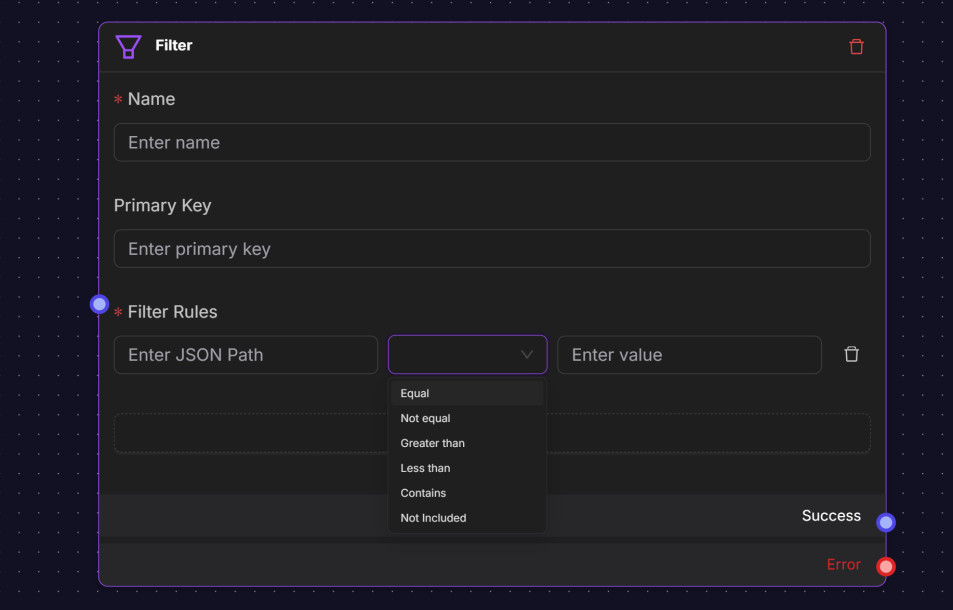
Settings include:
Name: Descriptive label for the node.
Filter Rules: Conditions that determine data flow.
equal - Exact value match
notequal` - Value does not match
contains - Value contains substring
notcontains` - Value does not contain substring
greaterthan` - Numeric comparison
lessthan` - Numeric comparison