
Wms v3OutboundOrder management
Search for Specific Orders
Search for Specific Orders
Item WMS V3.0 supports two search methods: General Search and Advanced Search.
General Search
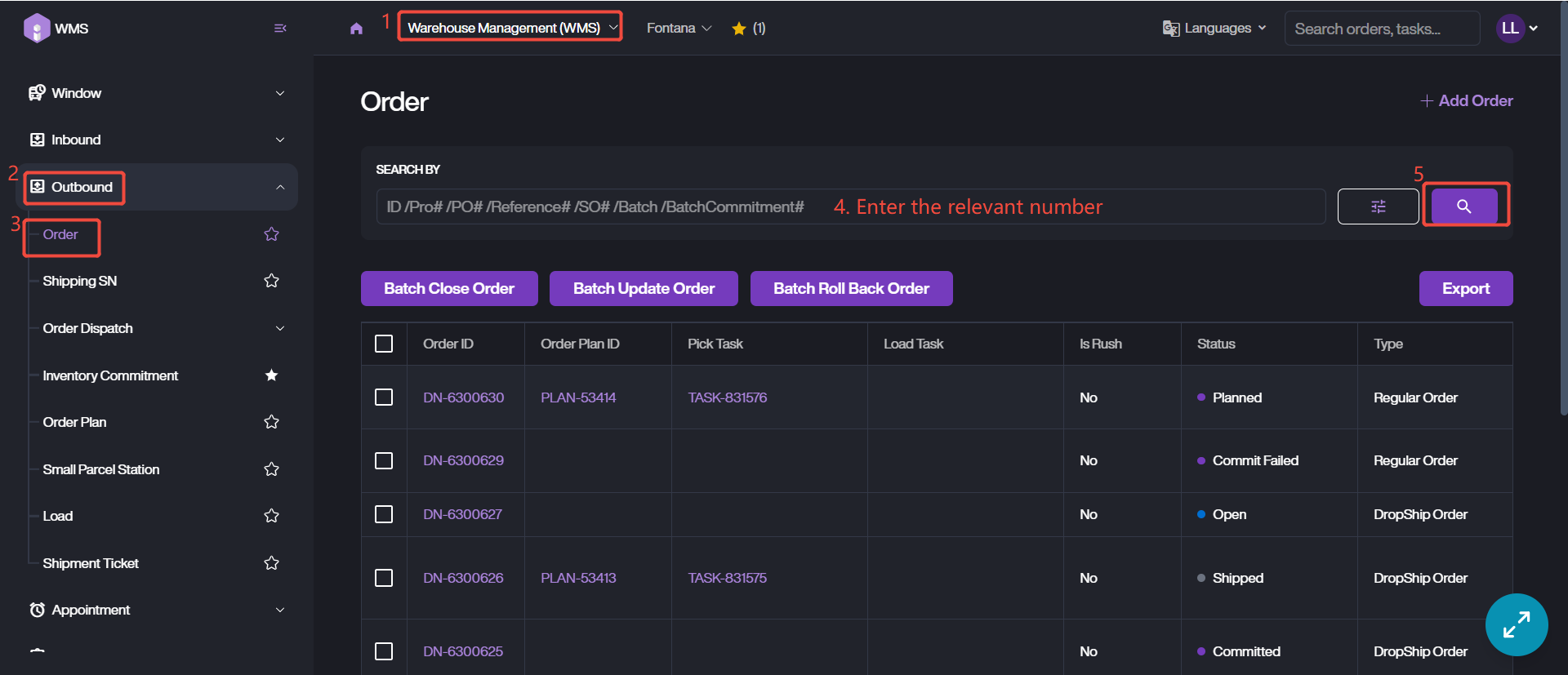
It is search by the core number, including Order ID, PO #, Reference #, SO #, Batch # and Batch Commitment #.
1. Access order list via Warehouse Management (WMS) Module > Outbound > Order.
2. Enter the specific number then click Search Icon to retrieve data.
Advanced Search
Advanced Search is based on the fields related to order, such as Status, Order Type, Order filter, Customer and so on. For a detailed explanation of the order filter, please refer to the next section.
1. Access order list via Warehouse Management (WMS) Module > Outbound > Order.
2. Switch the search mode to Advanced Search.
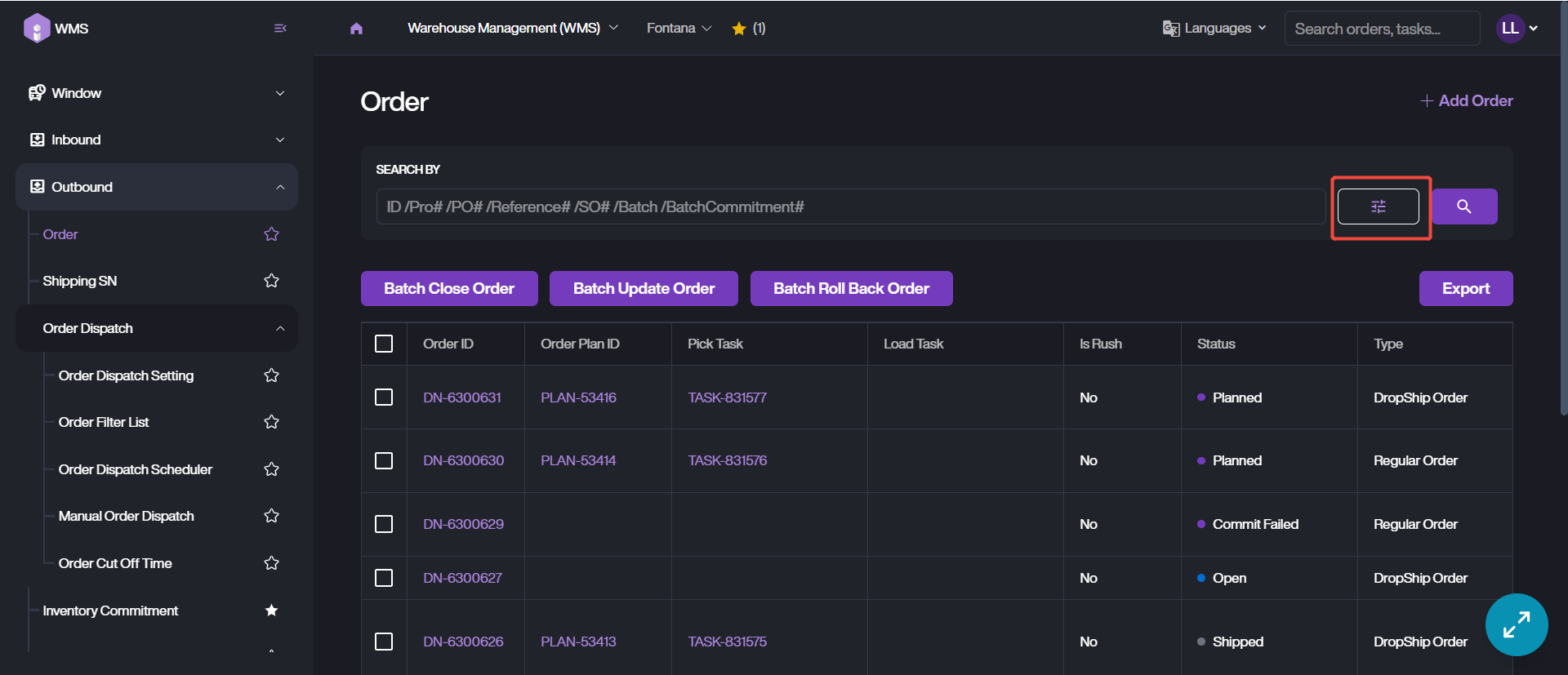
3. Configure the filtering conditions, then click Search to retrieve the corresponding data.