
Wms v3InboundReceipt management
Search for Specific Receipt
Search for Specific Receipt
There are two methods available for searching: keywords and advanced search.
Keyword Search
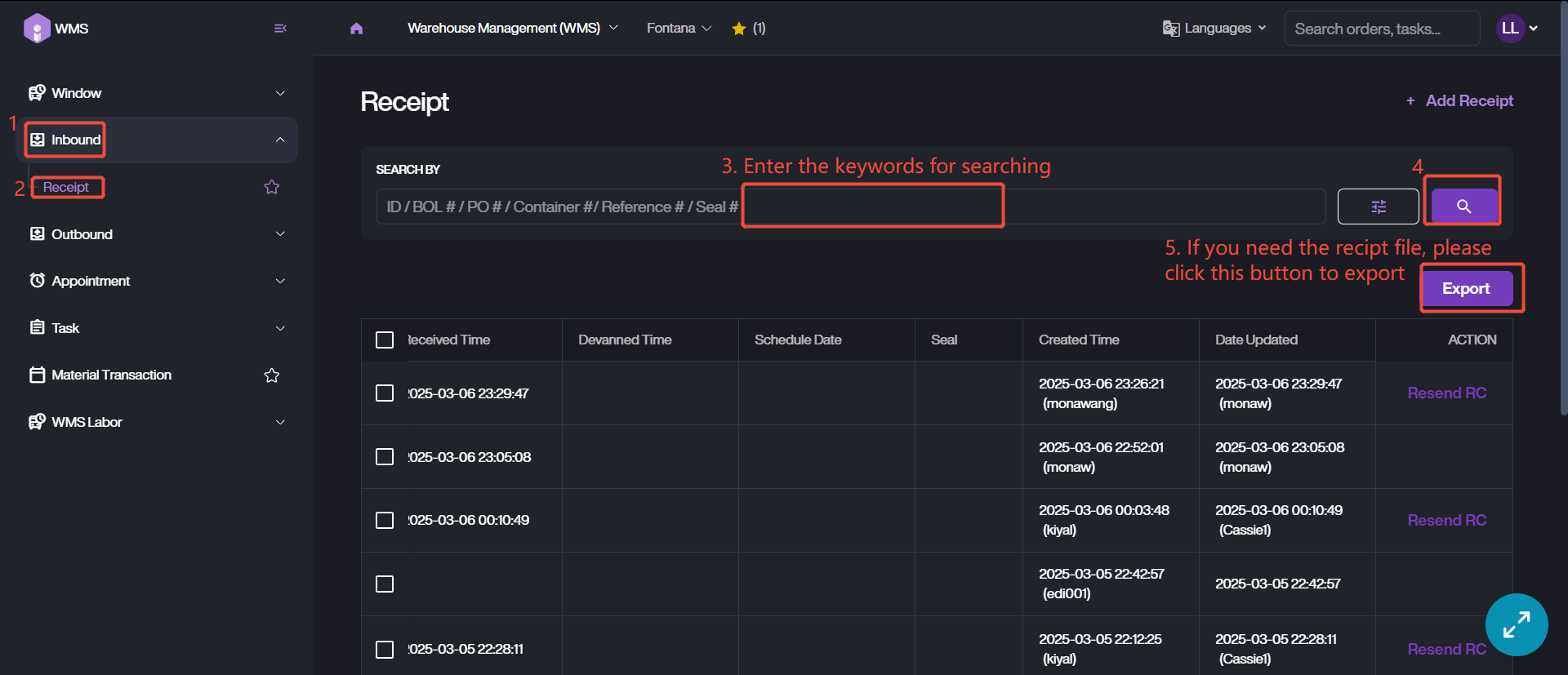
1. Go to Receipt list via Inbound > Receipt.
2. Enter the receipt ID, BOL, or other relevant number.
3. Click the magnifier icon to retrieve the receipt data.
4. If you need the receipt local file for further operation, please check it and click Export to download the file.
Advanced Search
1. Access the receipt list via the path same as above.
2. Click this button, switching to advanced search mode.
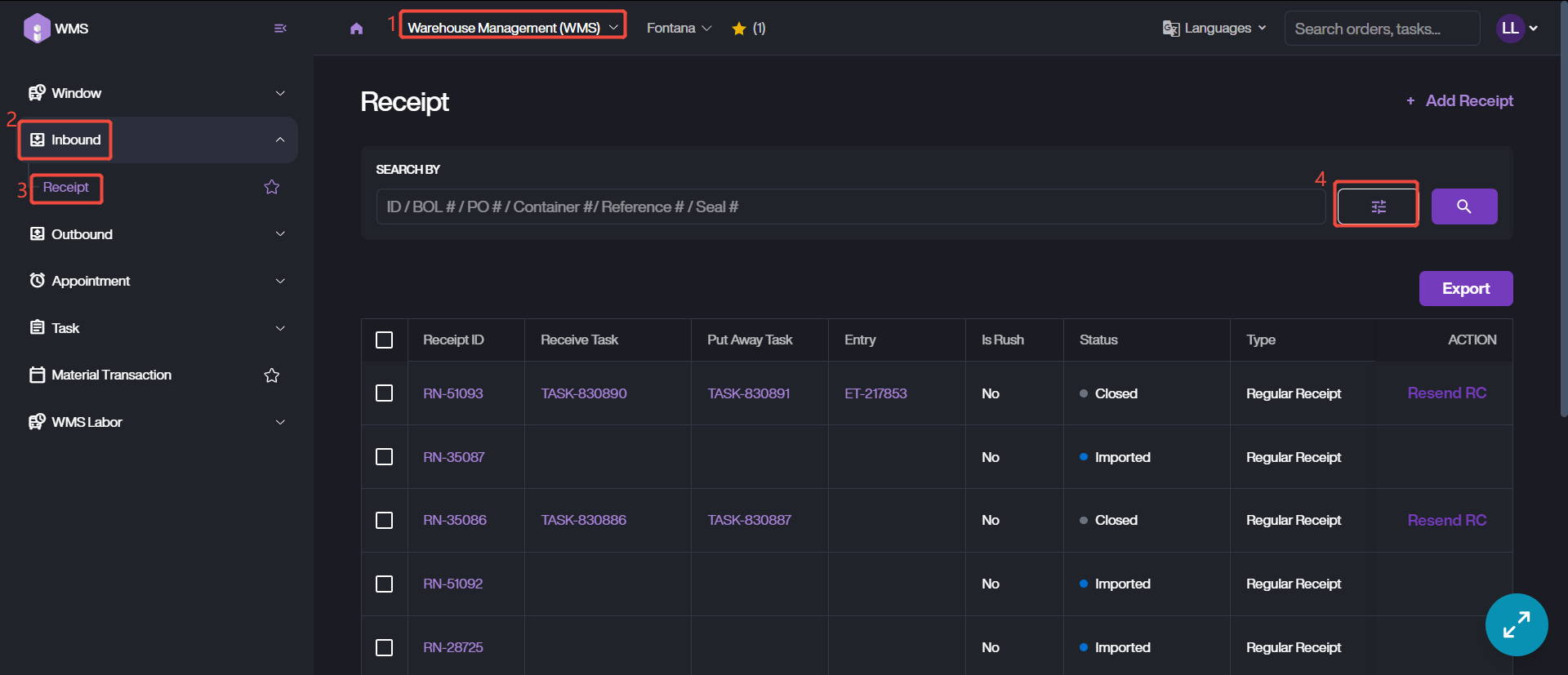
3. There are three kinds of filtering conditions, Receipt Info, Appointment and Related Numbers. Please enter the known info and customize the conditions.
4. Click Search button to complete receipt data filtering.