3pl billing
Approval Notice
Approval Notice
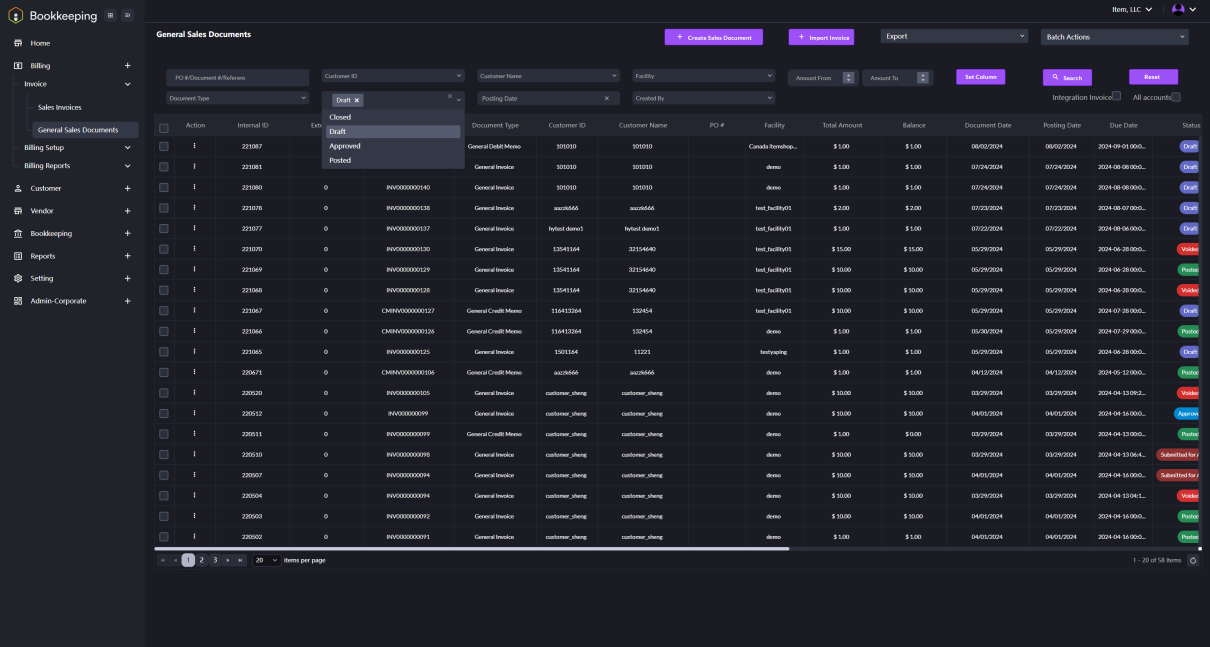
1. Enter the General Sales Documents page. Click on the drop-down arrow of the frame Status. Select Draft and click the Search button. The invoices with status Draft will be listed.
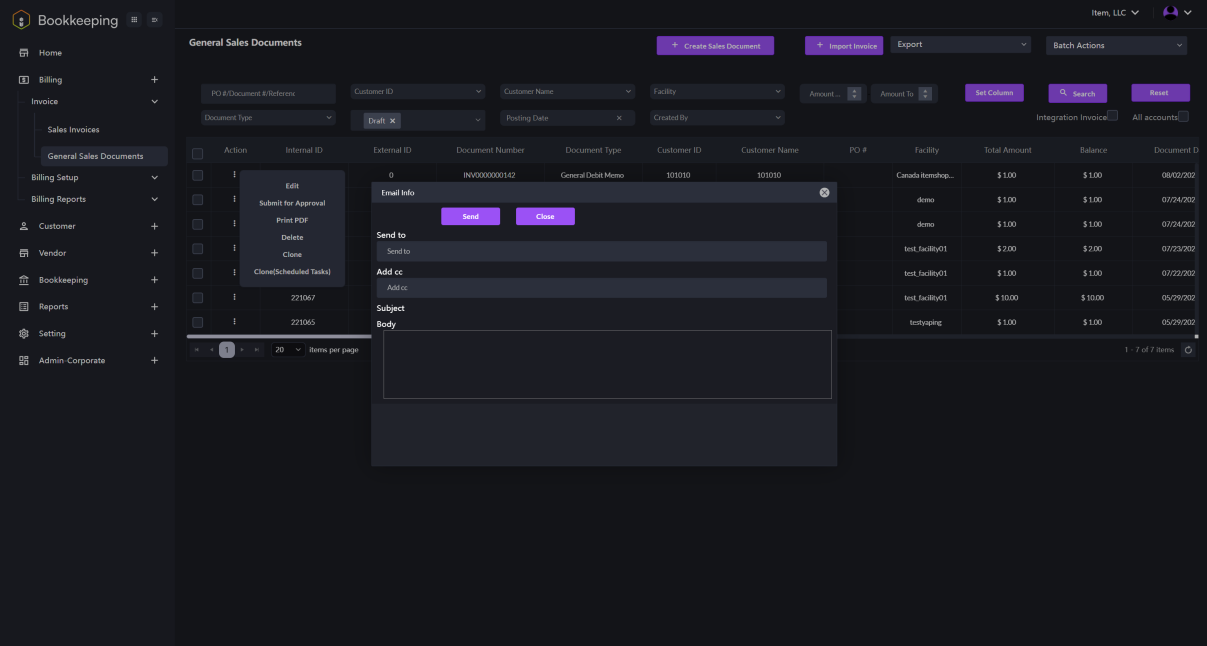
2. Select an invoice to be submitted. Click on the three-dot symbol in the Action column for this invoice. Select Submit for Approval from the drop-down menu. A dialogue window will prompt up. Input the email information and send it for approval.