WmsOutbound
Order Dispatch
Order Dispatch
Order dispatch uses rules to automatically commit a group of orders, build an order plan, create a pick task and assign the task. Rules are created through the web interfaces. This article introduces how to apply order dispatch feature.
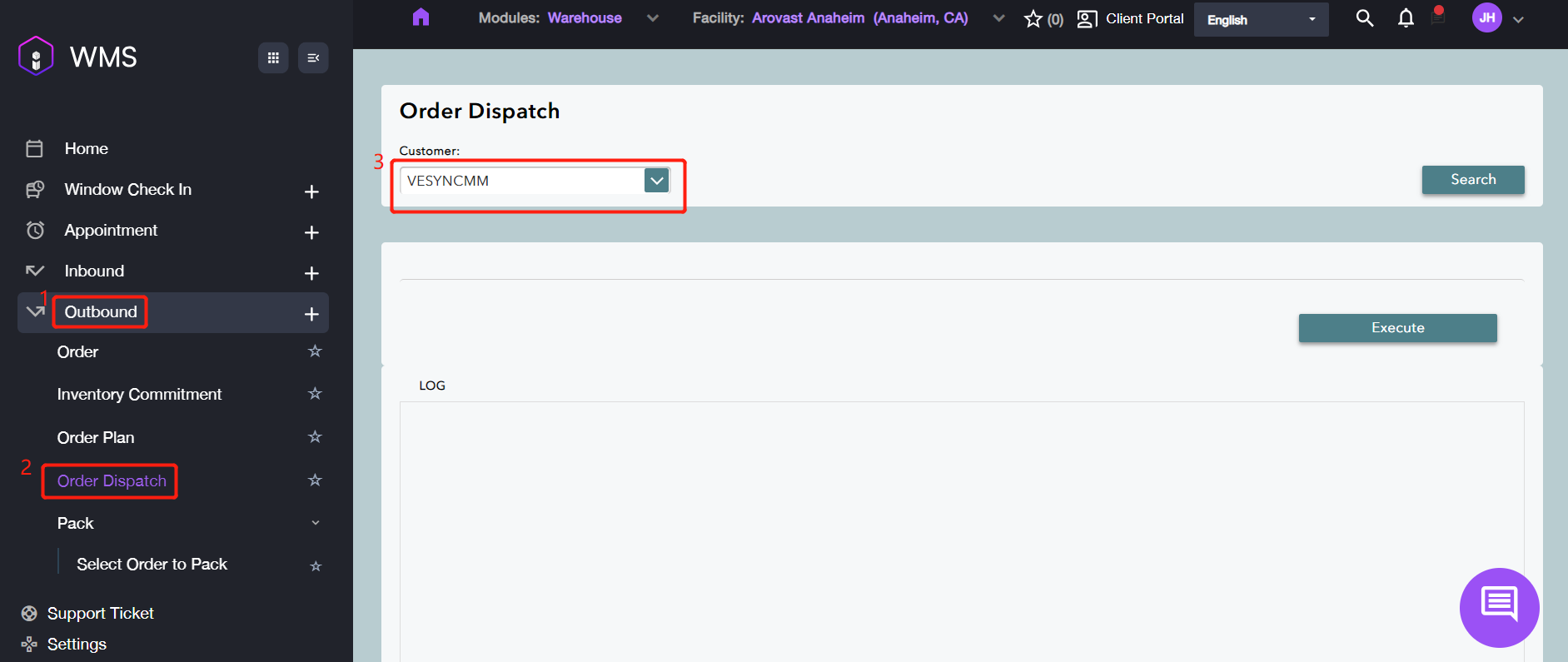
1. Navigate to Outbound > Order Dispatch, select the target customer.
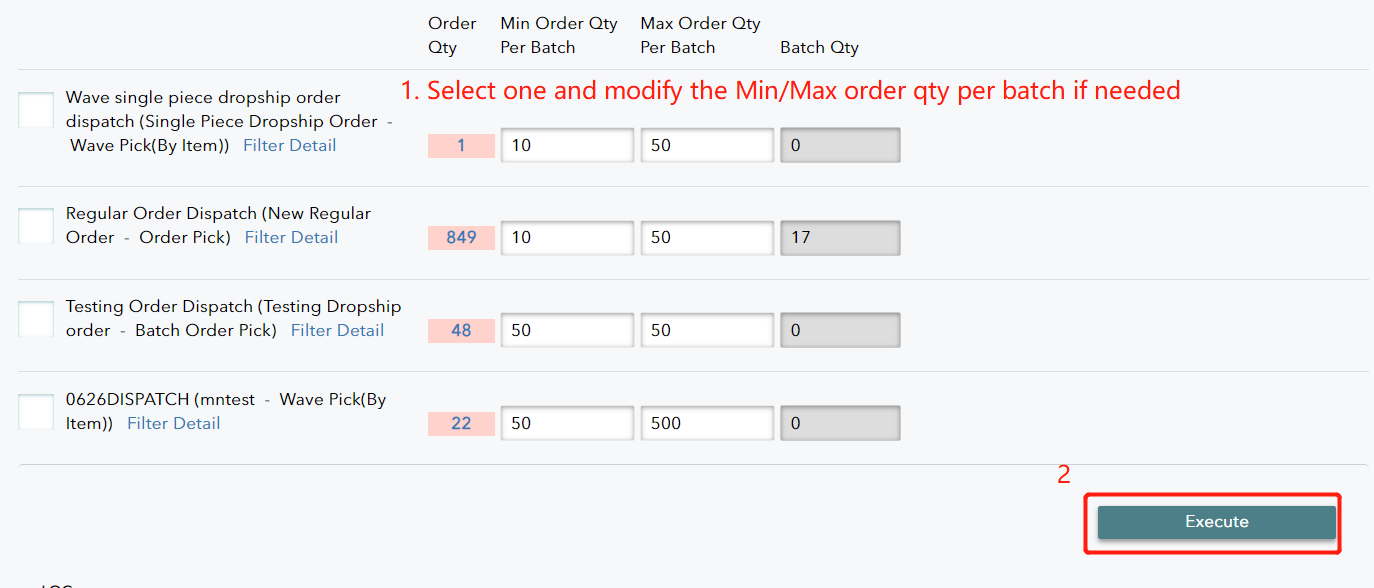
The system will search for the customer’s order and it will display the all records with the details such as order quantity or batch quantity.
2. Select a dispatch for the order, please change the Min Order Qty Per Batch if needed and Max Order Qty Per Batch. 3. Click Execute to complete.