Wms v3InboundEntry management
Add New Entries
Add New Entries
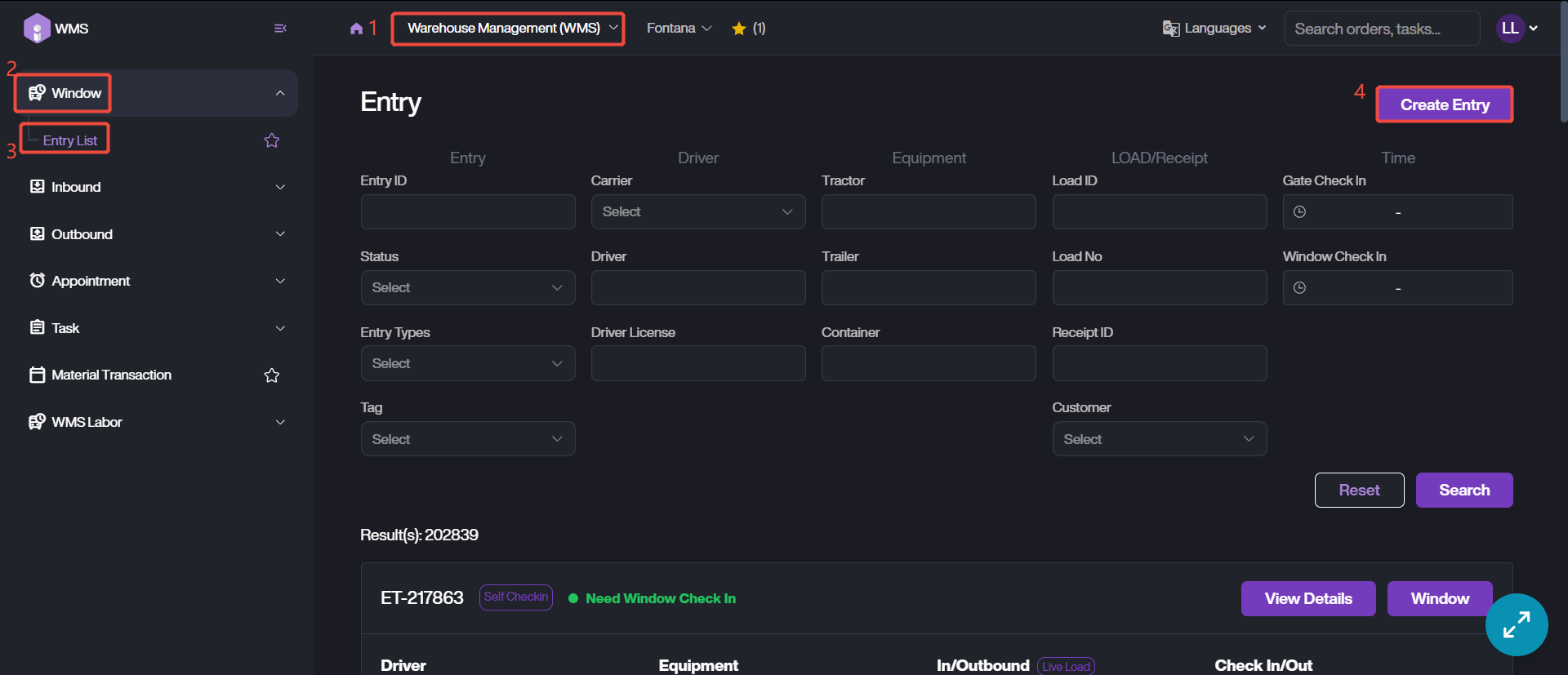
1. Navigate to Warehouse Management (WMS) module > Window > Entry List.
2. Click on Create Entry to start the adding process.
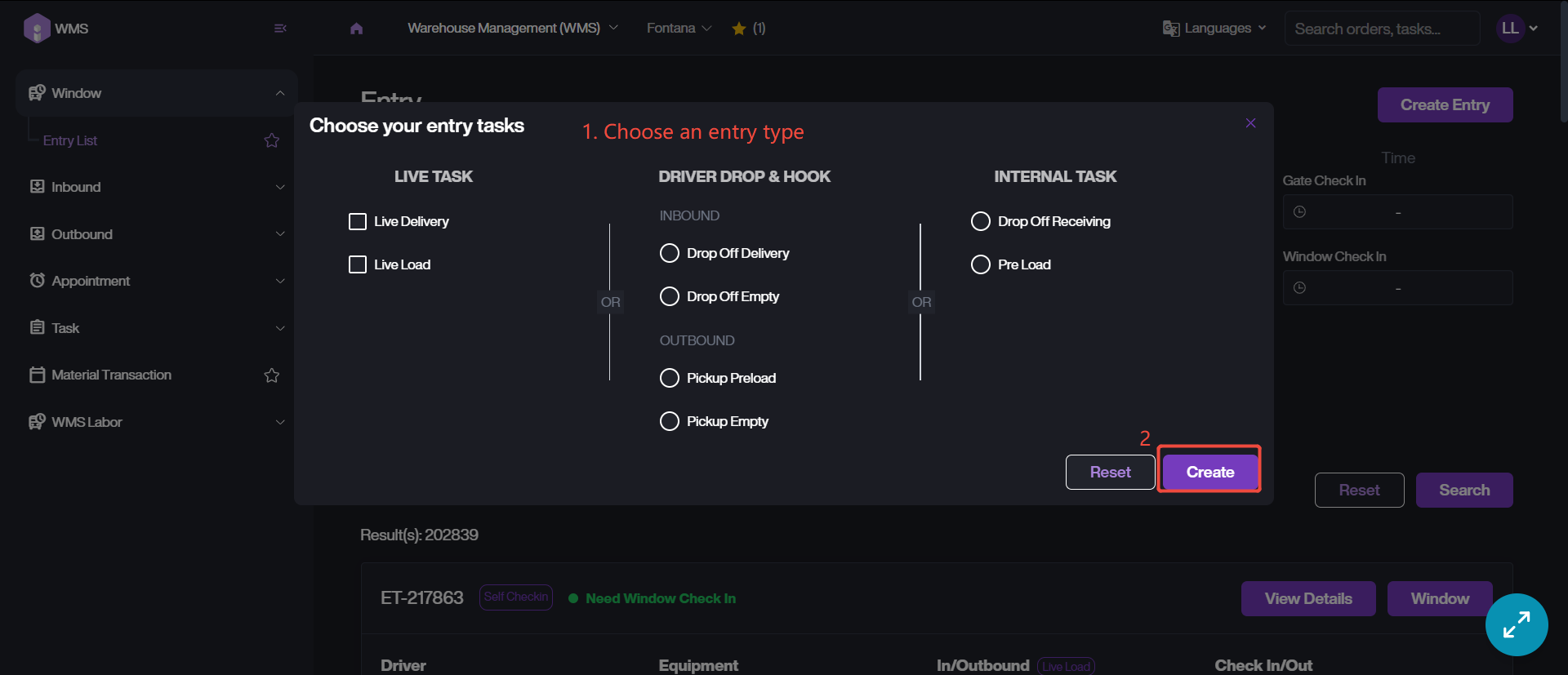
3. Choose an entry type, then click Create to proceed. If the entry is successfully created, it will popup a window to remind you.