
Use Cases
Use Cases
Once configured, a connector automatically becomes:
A streamable MCP server, which can be used in external AI clients such as Cursor or Claude.
A Connector Node in the Workflow module, which can be used to automate data transfer or system operations.
Purpose | Where to Configure | Use Case |
|---|---|---|
Connect merchants to internal or external systems | Workspace > Merchant > Connectors | Used in Integrations, Workflows, and AI (MCP) tools |
Automate data sync and exchange | Workflow > Connector Node | Reuse established connectors for multi-system automation |
Expose integration to AI clients | Integrations > Connected List | Register MCP URLs in AI assistants like Claude or Cursor |
Streamable MCP Server
Every successfully connected integration automatically generates a streamable MCP URL, which acts as an API endpoint for AI-assisted development environments.
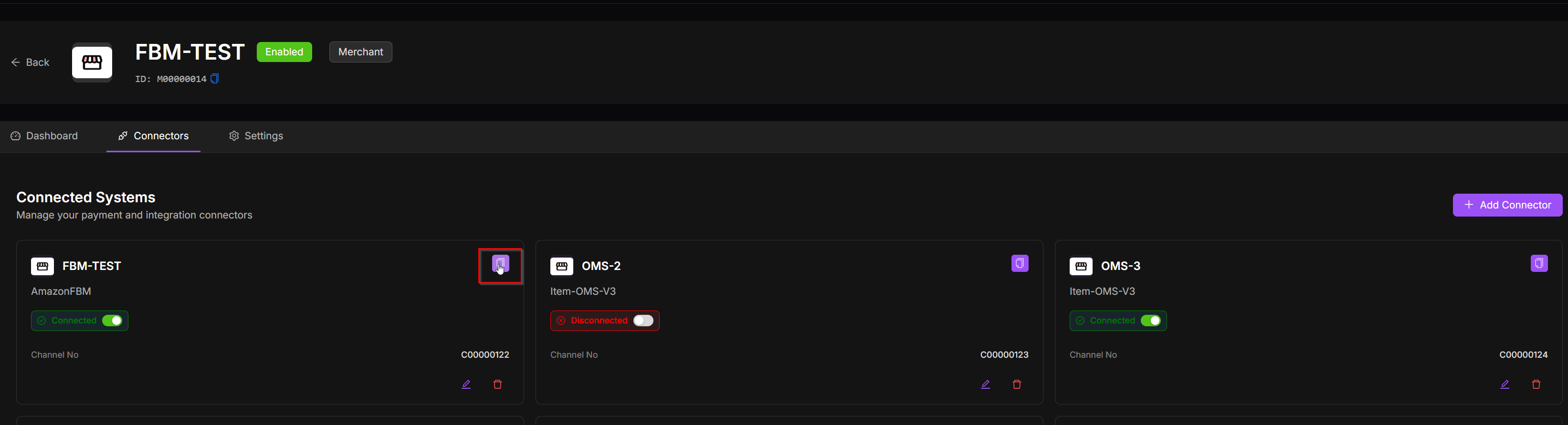
Example: https://di-v3-staging.item.com/streamable-http/AmazonFBM/mcp/xxxxxxxxxxx
This URL can be registered in compatible tools such as Cursor or Claude to call integration tools directly from the AI interface. Use cases include:
Query orders via listOrders
Update fulfillment via createFulfillment
Manage inventory via setInventory
Connector Nodes in Workflows
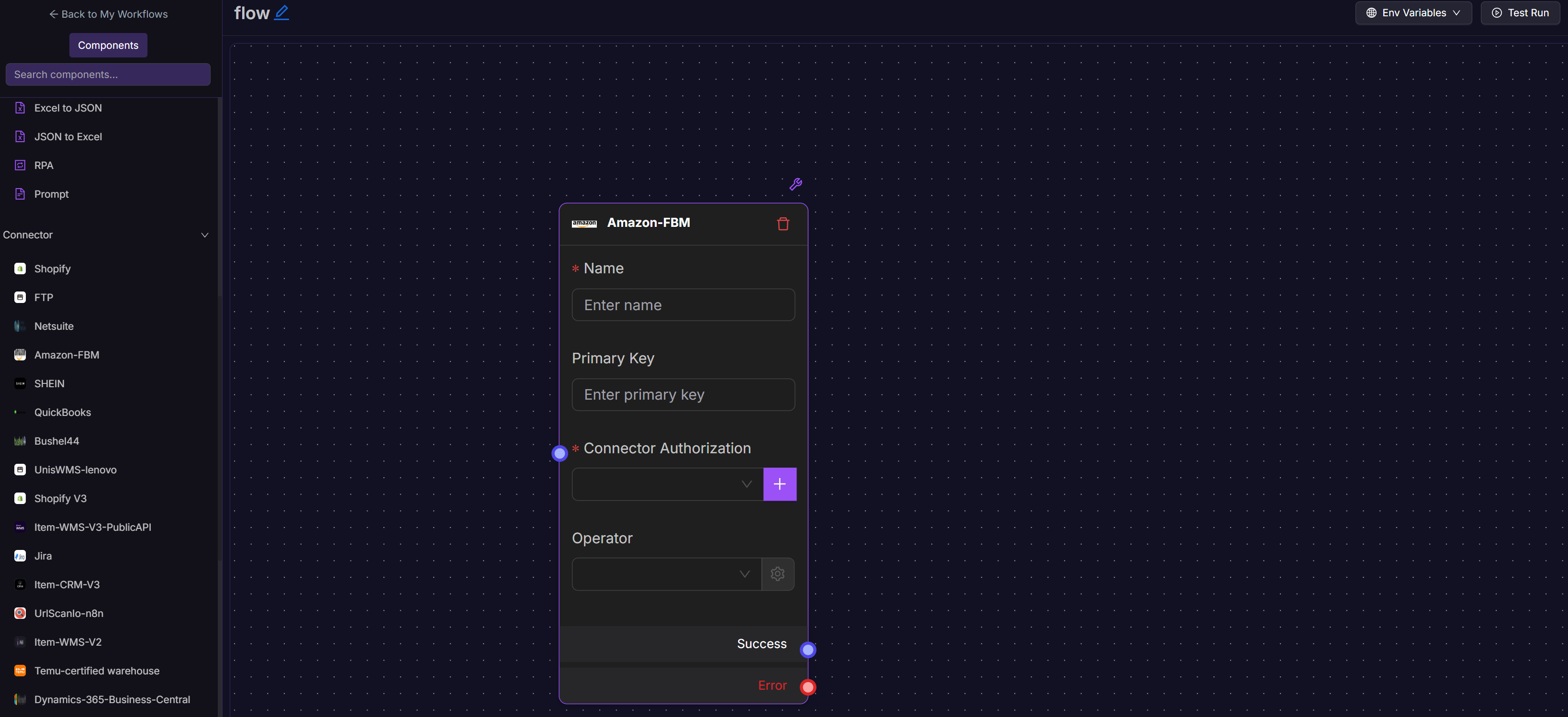
Once a connector is connected, it becomes a reusable Connector Node inside the Workflow module. Each Connector Node includes:
Authorized Connector: The integration reference created in Workspace.
Operator: The specific action exposed by the connector (e.g., getOrders, syncInventory, createShipment).
Parameters: Input values or variables required by the operator (e.g., product ID, order number).