
Wms v3OutboundPick task
Search/View Specific Pick Task
Search/View Specific Pick Task
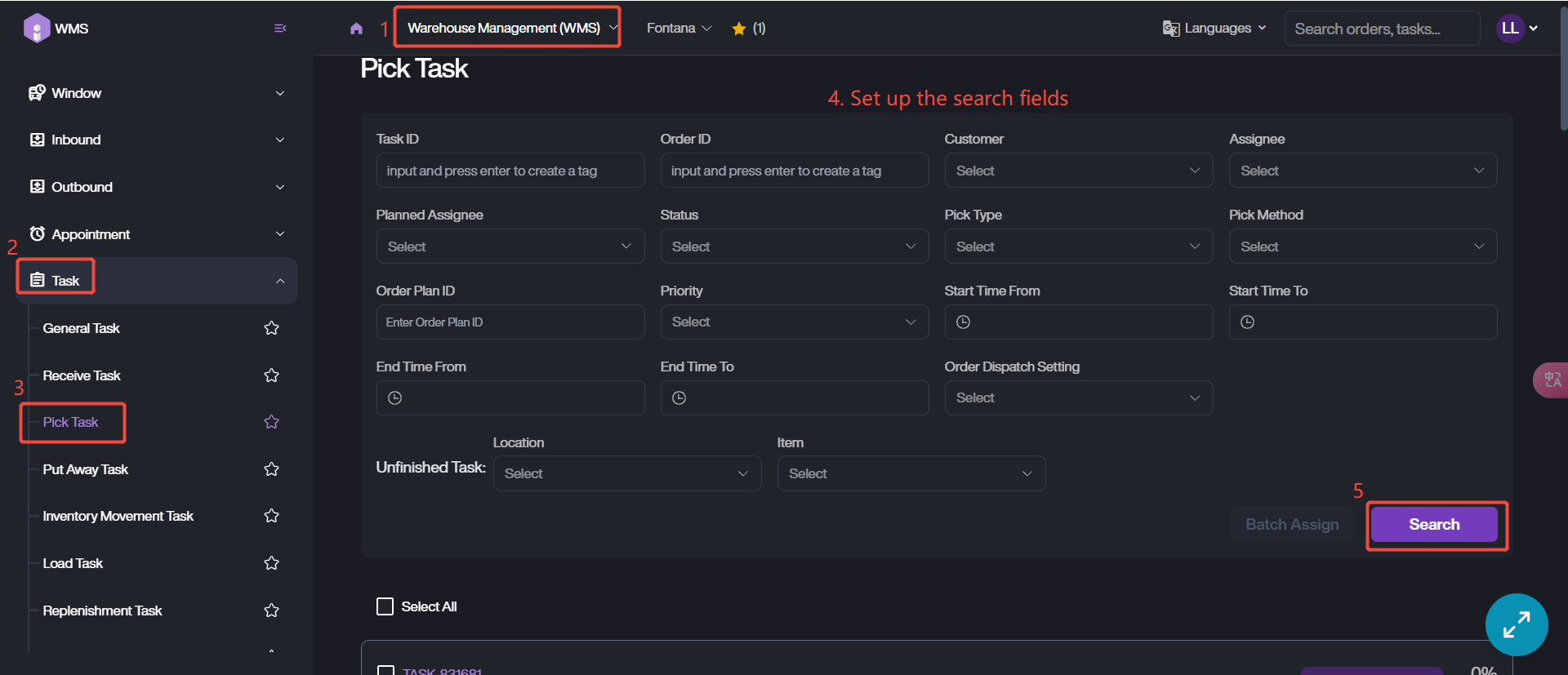
1. Go to Warehouse Management (WMS) Module > Task > Pick Task.
2. Customize the search fields, such as Status, Pick Type, Assignee and more.
3. Click Search to retrieve data.
4. View the task info by clicking Task ID. Here you can check the task progress, status, editing and more.