Wms v3FoundationShipping account management
Add New Shipping Accounts
Add New Shipping Accounts
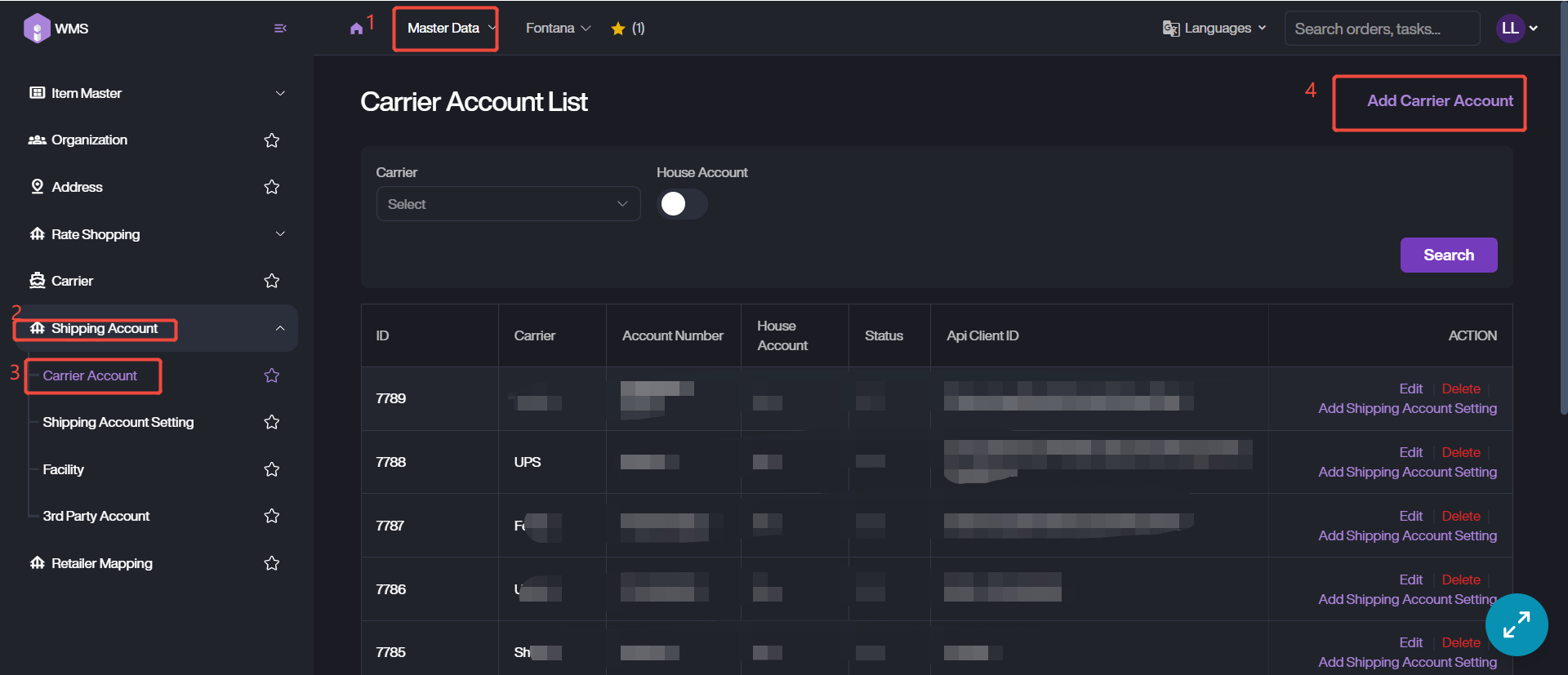
1. Navigate to Master Data Module > Shipping Account > Carrier Account, click Add Carrier Account button to start the adding process.
2. Fill in the required fields, and customize the addition information such as carrier name/company/address.
3. Click Save to complete this shipping account creation.