Wms v3FoundationFacility management
Add New Facilities
Add New Facilities
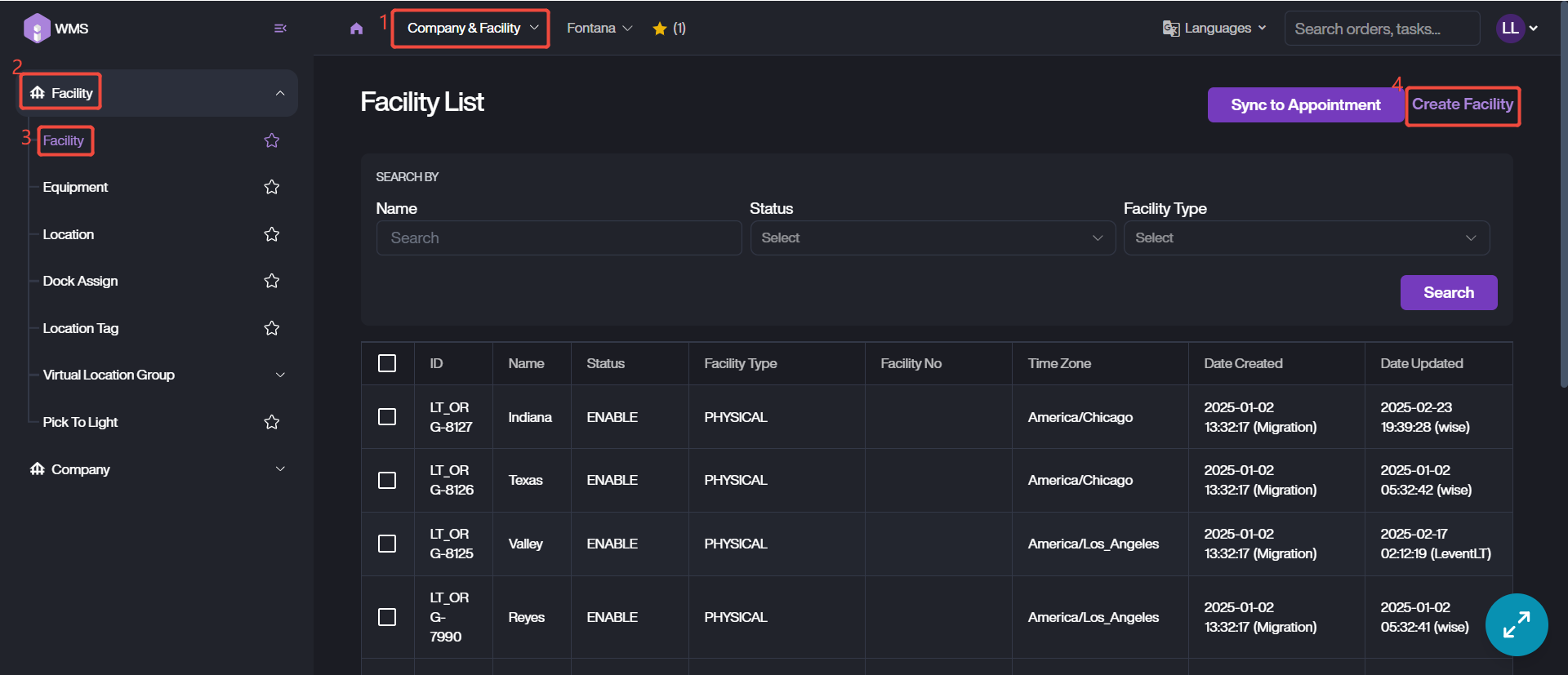
1. Navigate to Company & Facility Module > Facility > Facility, click on Create Facility button at the top right corner.
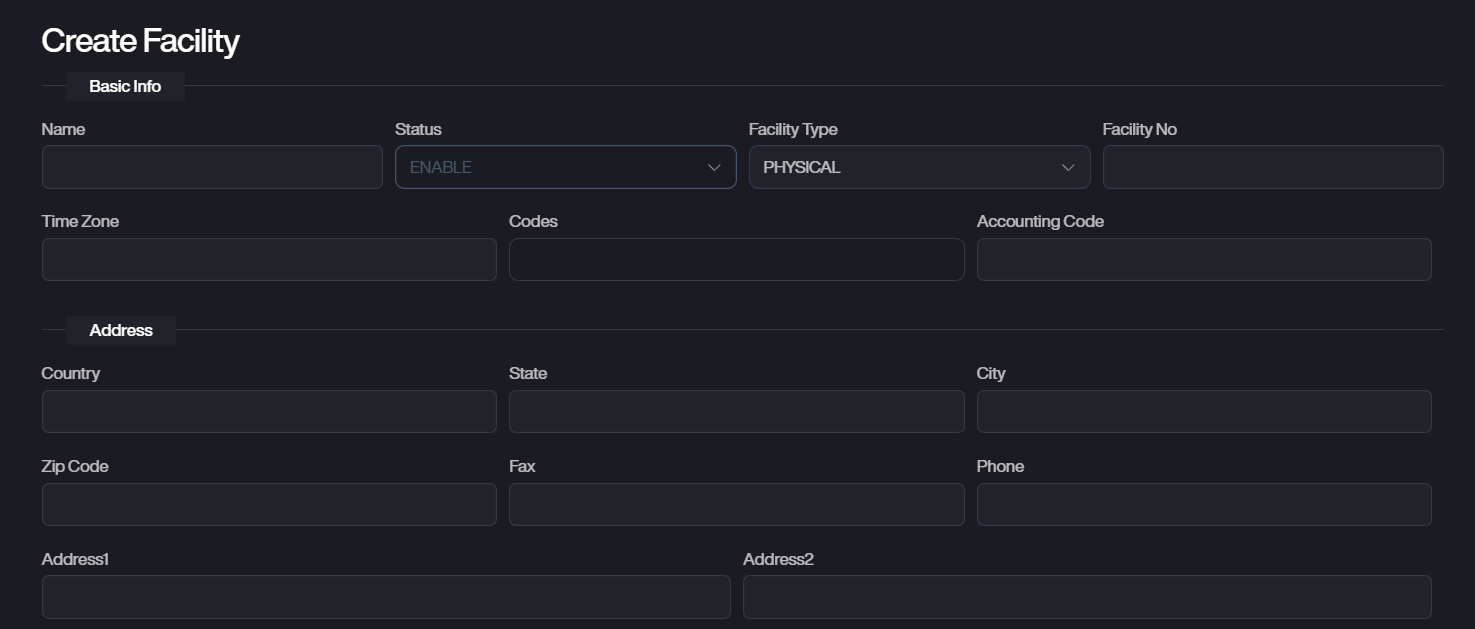
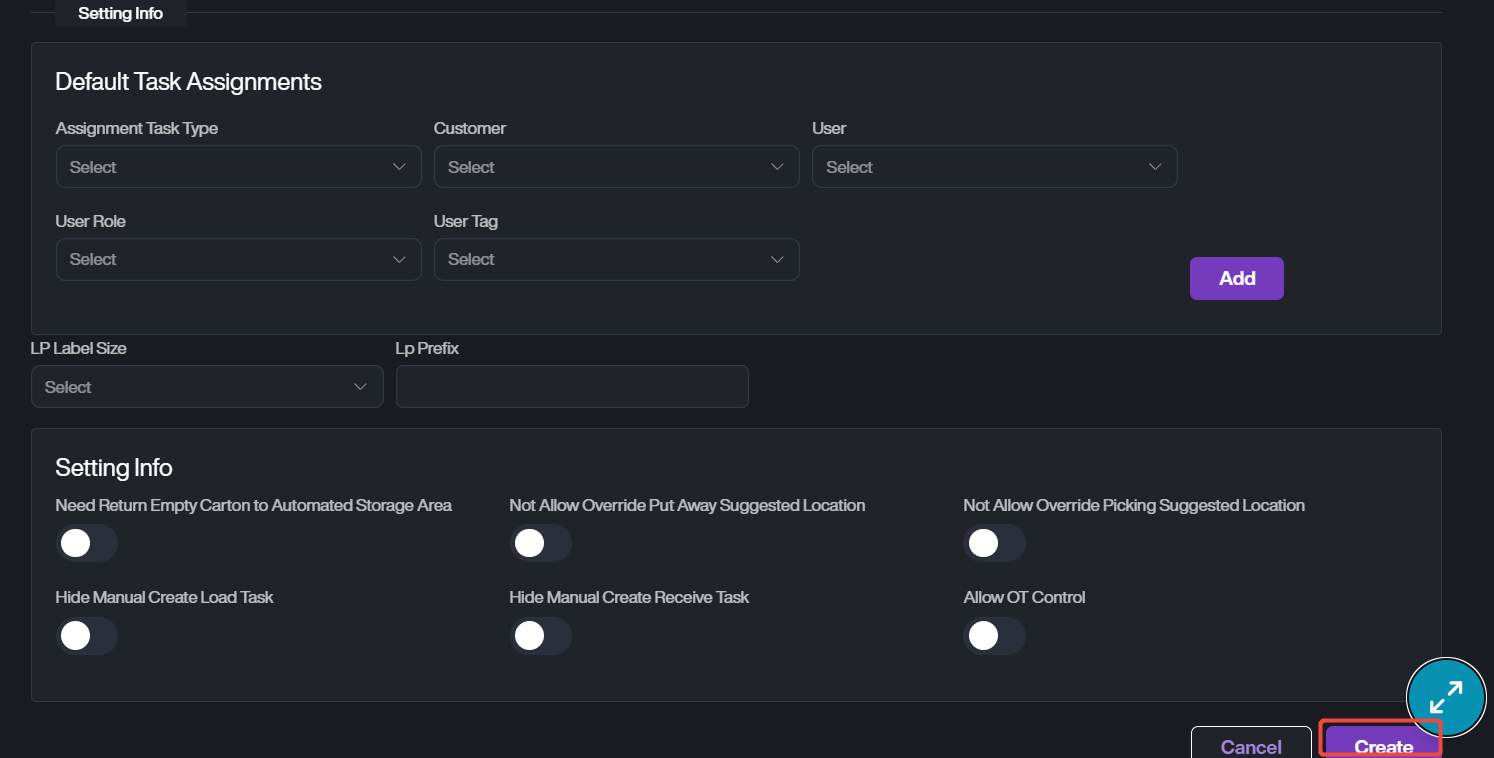
2. Provide the details of the facility, containing the basic info, address, setting info of the new facility.
3. Click Create to complete the adding process.